In order to enable Ticketing on Salesforce, you will first have to set up a Connected App. You can read more about that in the following article.
Setting up a Connected App on Salesforce Setup
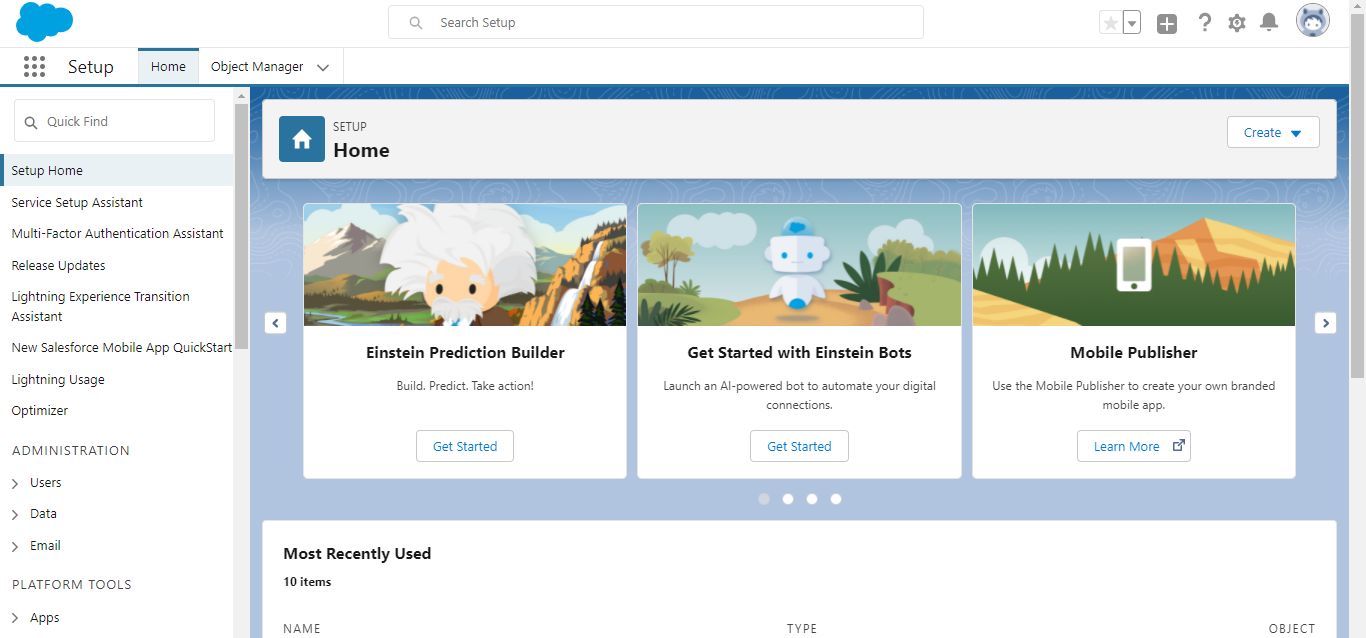
Step 1: Navigate to the Setup dashboard of Salesforce, as shown.
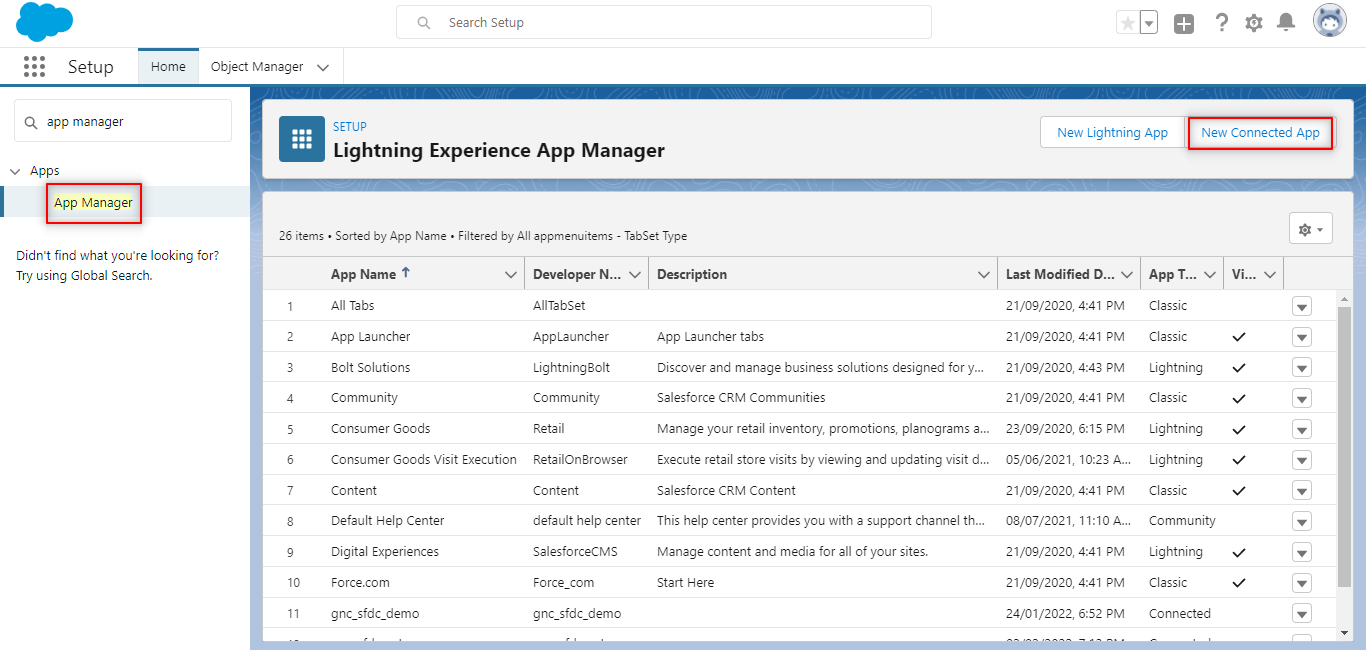
Step 2: Search for App Manager from the Quick find, and select New Connected App.
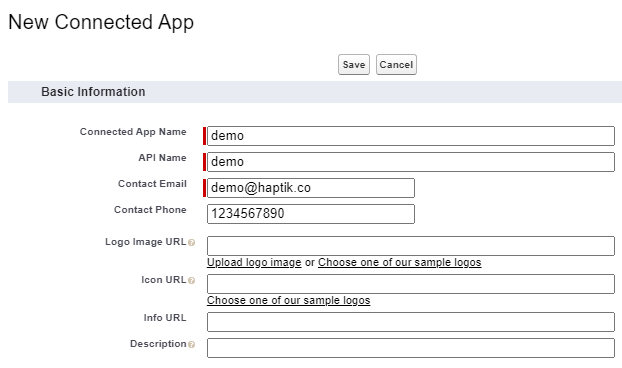
Step 3: Under Basic Information, fill the mandatory fields, as shown.
Step 4: Check the box for Enable OAuth Settings, and add this call back URL - https://login.salesforce.com/services/oauth2/success
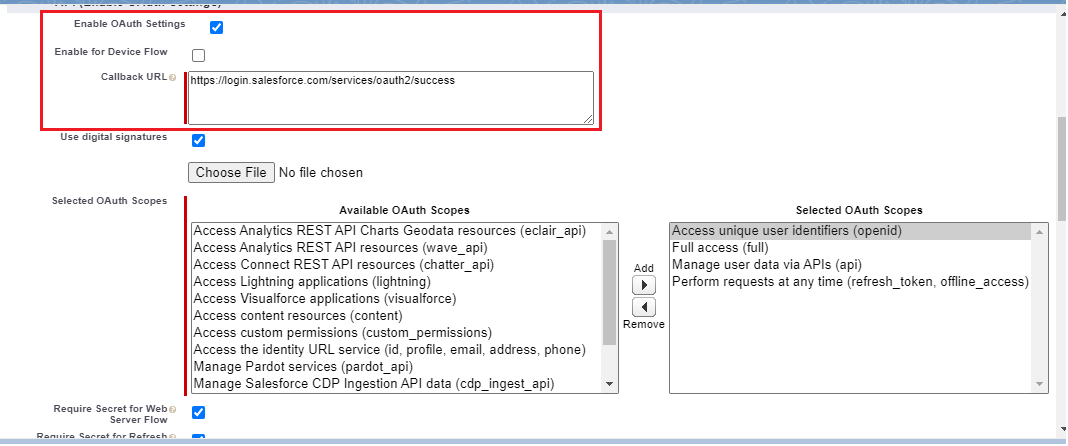
OAuth scopes that needs to be added for the app are -
- Allow access to your unique identifier.
- Perform requests on your behalf at any time.
- Provide access to your data via the Web.
- Access and manage your data.
- Full Access (To access features like create lead).
Step 5: Next, check the box for digital signatures, upload the generated certificate file and also generate a private key.
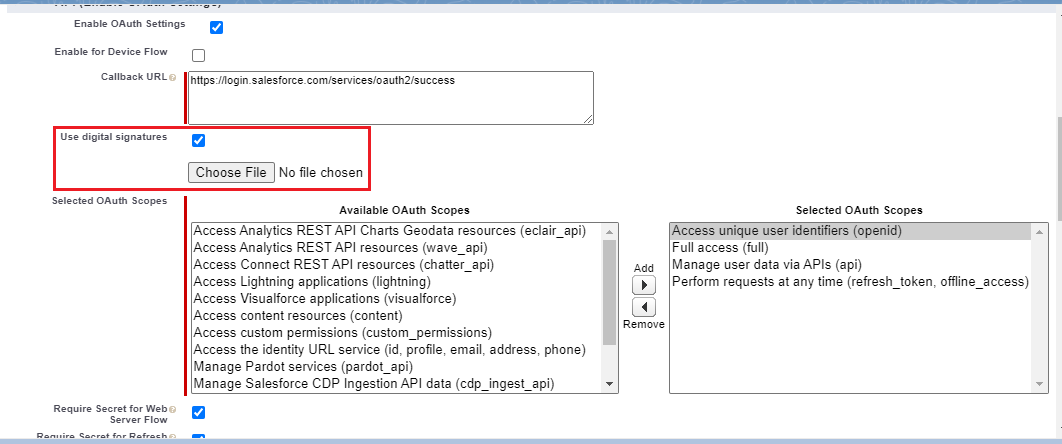
For generating the certificate file and private key, run the below commands on openssl environment -
openssl genrsa 2048 > host.key
chmod 400 host.key
openssl req -new -x509 -nodes -sha256 -days 365 -key host.key -out host.cert
Upload the host.cert file by selecting the Choose File button.

Step 6: After clicking on save and continue, Consumer Key and Secret will be generated, note these down for future reference.
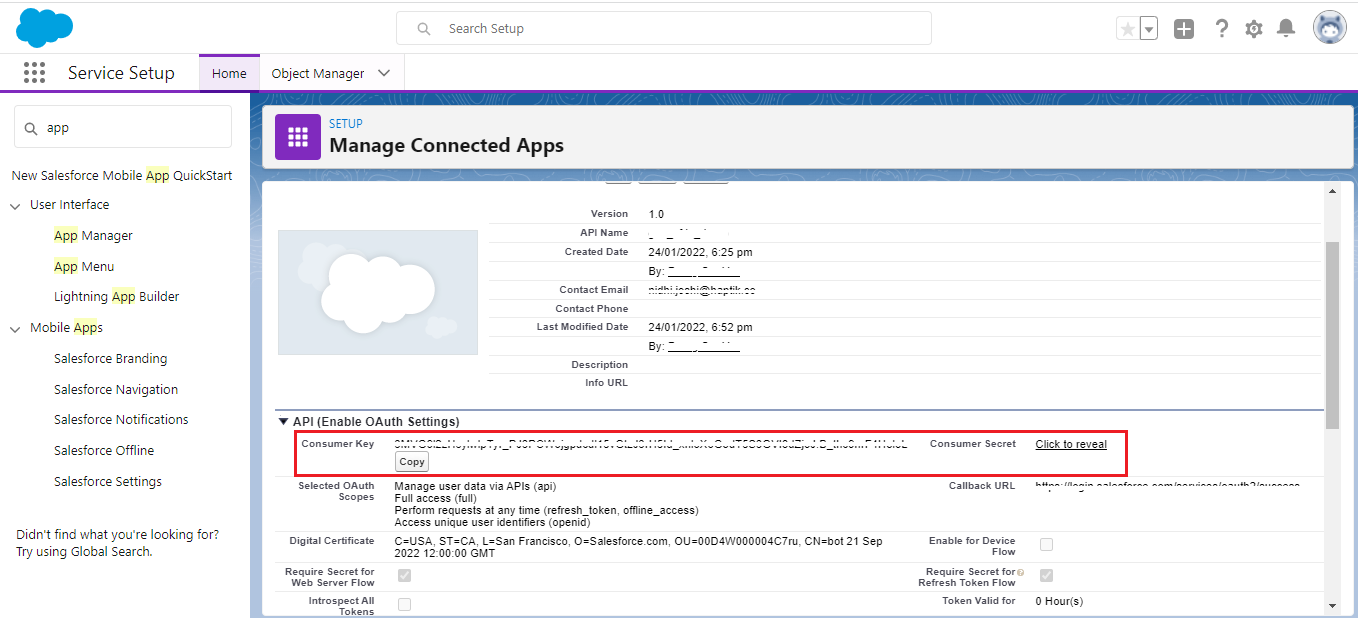
Step 7: To authorize the App, navigate to the below URL -
https://<salesforce_domain>/services/oauth2/authorize?response_type=token&client_id=<client_id>&redirect_uri=https://login.salesforce.com/services/oauth2/success
Note:
salesforce_domain is your domain URL(can be found by searching domain on LHS Quick find)
client_id field will contain the Consumer Key
On clicking the above URL, the authorization page opens up as shown. Cick on Allow for all the stated permissions.
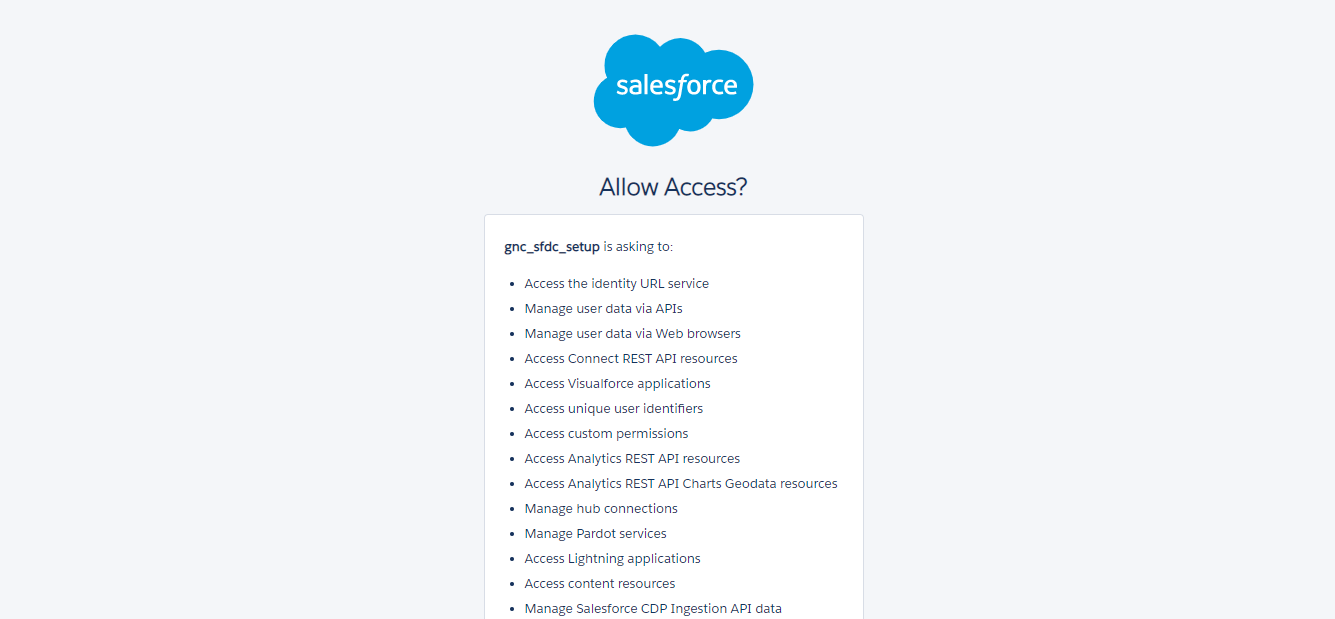
Step 8: The clientId (consumer key) and username will be used for creating the Connected Application with Haptik.
Now that you are done with creating and configuring a Connected App, you can move to implementing ticketing on Salesforce. To know how to implement ticketing on Salesforce, click here.