You can delete an entity from the particular step by clicking on the delete icon present beside the entity name.
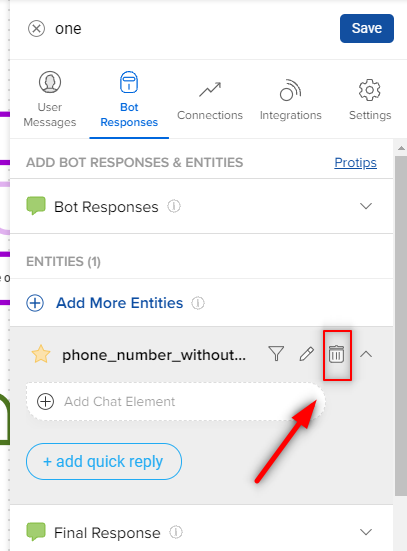
Once you delete an entity from the Bot Response section, the entity will be removed from the bot too.
You can delete an entity from the particular step by clicking on the delete icon present beside the entity name.
Once you delete an entity from the Bot Response section, the entity will be removed from the bot too.
Thanks for your feedback!
Can’t find what you’re looking for? Email us at support@haptik.ai.