We build bots to handle customer queries by training them on past questions asked by users. This past data might be in the form of support tickets, business documents, and Knowledge Base articles.
The traditional method for training bots involves uploading this past data in the form of user queries and providing bot responses to all those queries. Training a bot with all of this might seem like a big task, as it requires converting your past data into a specific format. What if, instead, you could use your existing business documents and Knowledge Base articles to train your bot? Wouldn’t that save a lot of bot-building time for you? You can do that by creating a bot on Haptik using the Knowledge Connector feature.
With Knowledge Connector, you can spend less time and fewer resources training your bots by leveraging existing information sources to answer a wide variety of questions from Day 1. This will increase accuracy and precision by directly parsing documents and surfacing the relevant articles from PDFs, manuals, and user guides. Once the user clicks on the article for more information, the assistant will pinpoint the most relevant passage from the document.
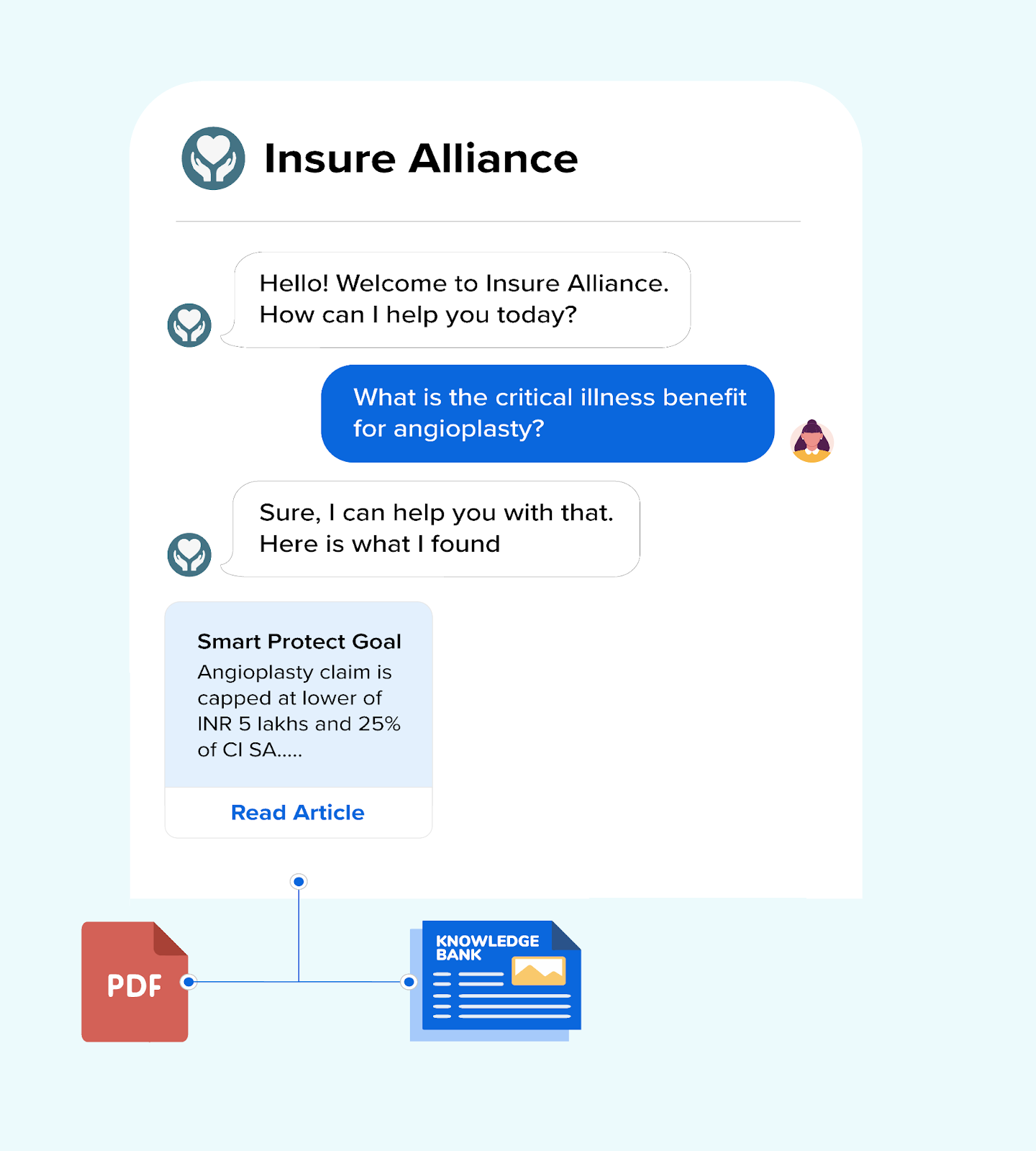
For example, on an Educational University's bot, if a user asks about the admissions process, the response to this query would involve relevant topics such as admissions, fees, student eligibility, etc. The Knowledge Connector feature sends the user directly to a PDF that contains all this information.
You can check the below video to see the Knowledge Connector feature in action.
What is the user journey like?
To understand the user journey, let’s walk through a scenario in which a user asks a query to the bot. Let’s assume the query is related to a product.
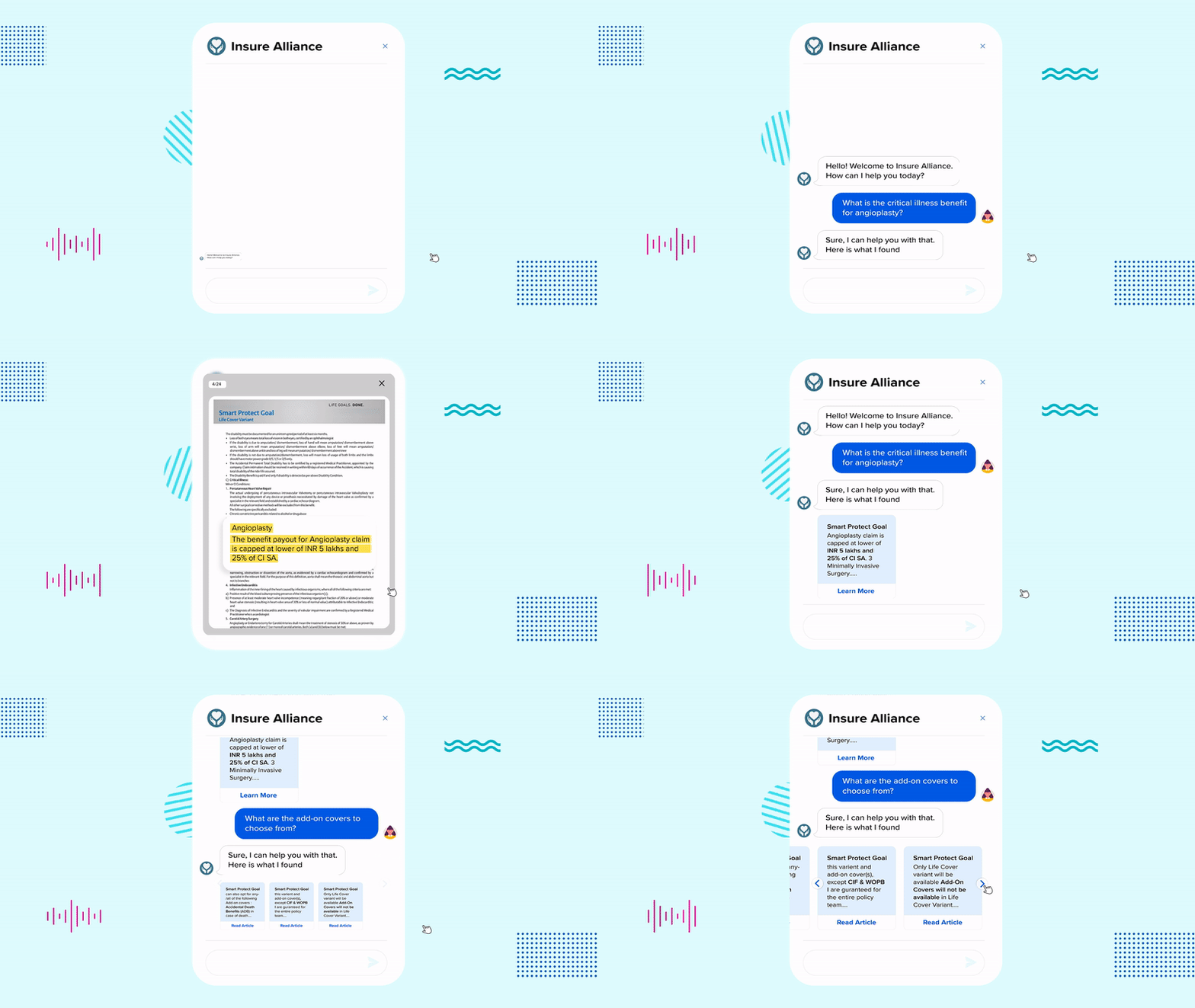
- Once the user provides the product name to the bot, the bot will search documents related to that query.
- As a response, the bot will send either one document or at the most 3 documents to the user. These document responses will be displayed in a carousel format. The response that most closely matches the user's query will be highlighted on the carousel.
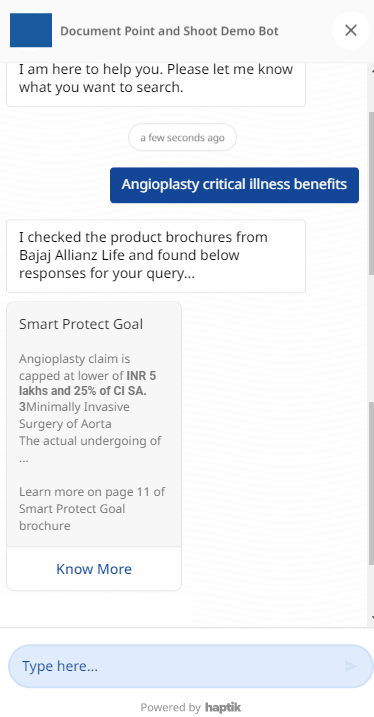
- The user can then click on the Know More link on the Carousel and open the document in a new tab.
- The relevant content related to the query will be highlighted in the document so that the user can easily find the answer.
Info
If an answer to a user query lies in the table form of the document, then the bot will mention the fact that the answer is in the table. The bot will not extract answers from the table explicitly.
Steps to enable Knowledge Connector
To begin, here are the three prerequisites which you need in order to use this feature:
- Documents in PDF form with business-specific use cases that can be used at the time of training the bot. You will have to provide these documents in the form of a PDF to your Haptik SPOC; these documents will be uploaded at Haptik's backend. You can send a maximum of 15 documents to train your bot.
- A bot built using the Conversation Studio tool in Haptik.
- As this feature is in the BETA phase, please ask your Haptik SPOC to enable it for your bot.
Once you are ready, you can create an entity in your bot called document_answer; this entity will take its values as specific document IDs. At the time of uploading the document onto your bot, the document ID should be linked to the entity value.
You will need to do this for every document on your bot in order to enable search based on the user's input.
That completes the setup steps. You can train your bot and test it in order to check if everything is working as expected.
Priority order for selecting an answer
- Priority order for fetching the answer to a query: Intent Detection > FAQ > Document Answering.
- FAQs uploaded in the bot will be given preference over the document search. If FAQs don't yield a relevant response, the document will be searched for a response to the query.
When the user asks a query to the bot, the bot would reply based on the above-mentioned prioritization. Let us consider that the bot has responded with a document. Here, what if the user asks the same query again? Will the bot still send the document as a response?
Yes, if the user asks a query for which the bot's response was a document and if that same query is being repeatedly asked, then the bot will still send a document response. Here, you can add this query to your FAQs, as it is frequently asked one.
💡 Knowledge Connector is supported on WhatsApp.