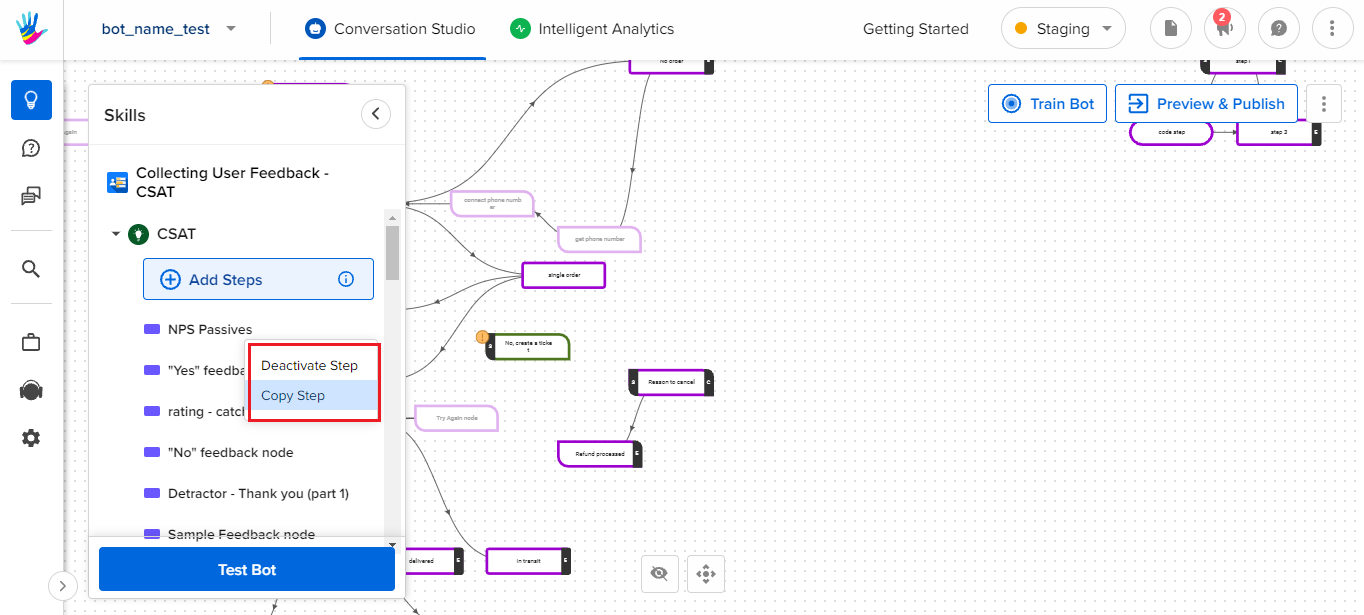
Copying a step is similar to that of Skill. The only difference is that this functionality will copy only the selected step rather than the entire Skill. Copying on step be done as follows:
Paste a Step:
- Select the Skill where the step needs to be pasted
- Upon clicking the, select the option to Paste Step
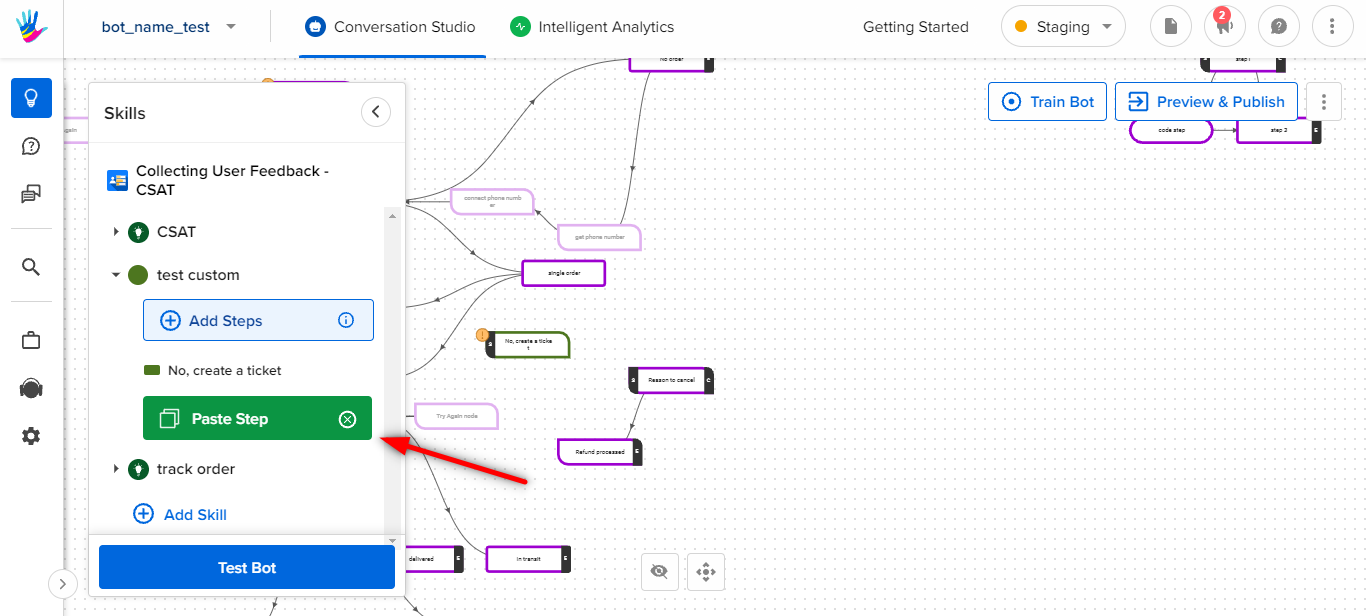
- Upon successful completion, you will be able to see Pasted Step Successfully message on the screen.