If you no longer require Skill on your bot, you can simply deactivate it. As such, we do not have a delete Skill option on your platform yet.
You can deactivate any unwanted Skills from your bot, and it will not bother you.
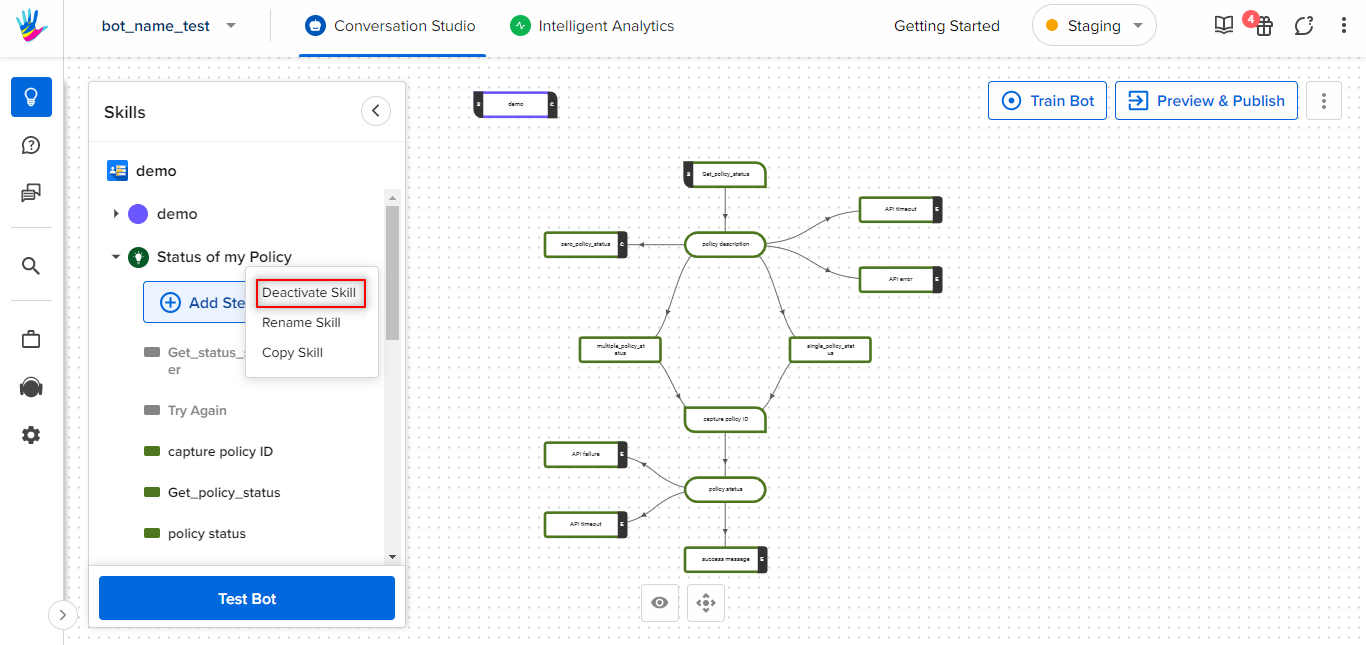
To deactivate a skill, you need to navigate to your bot > Conversation Studio. You can simply click on the Skill that you no longer require, and select the deactivate Skill option, as shown.
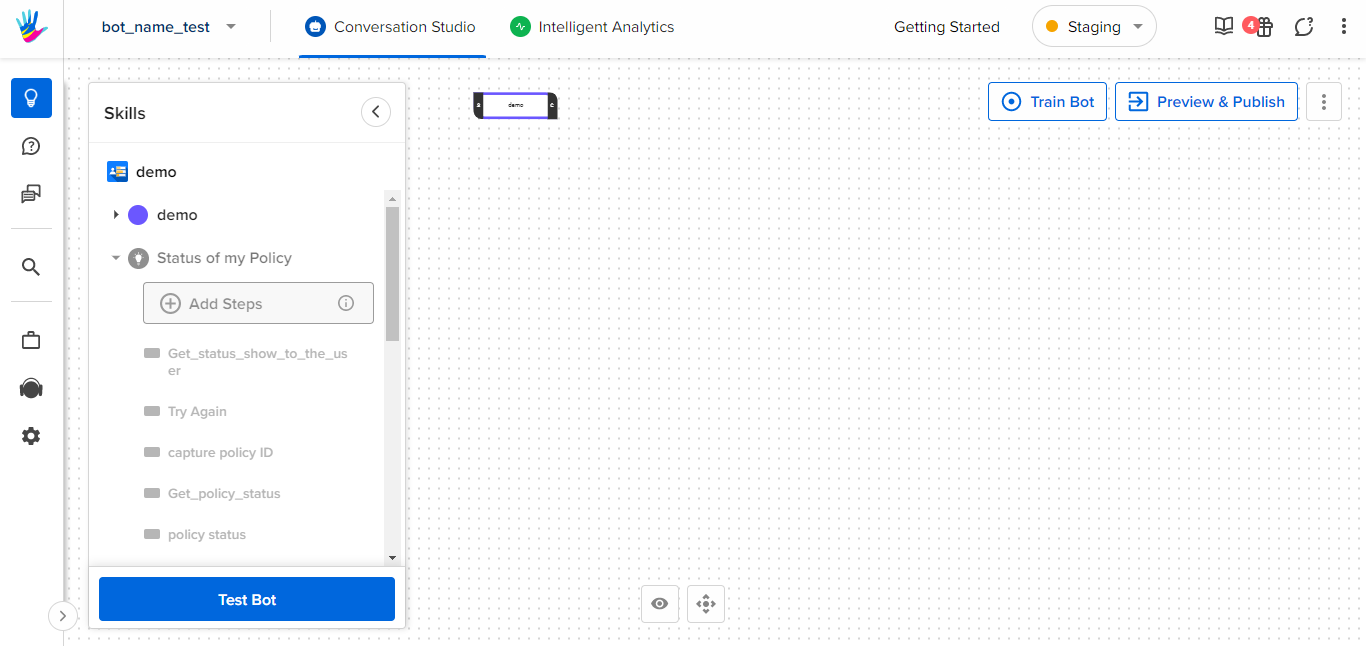
Once you have deactivated a skill, it will be greyed out along with the Steps present in it. Even the bot structure related to that Skill, will disappear from the graph, as shown.
This is how you can deactivate a Skill.
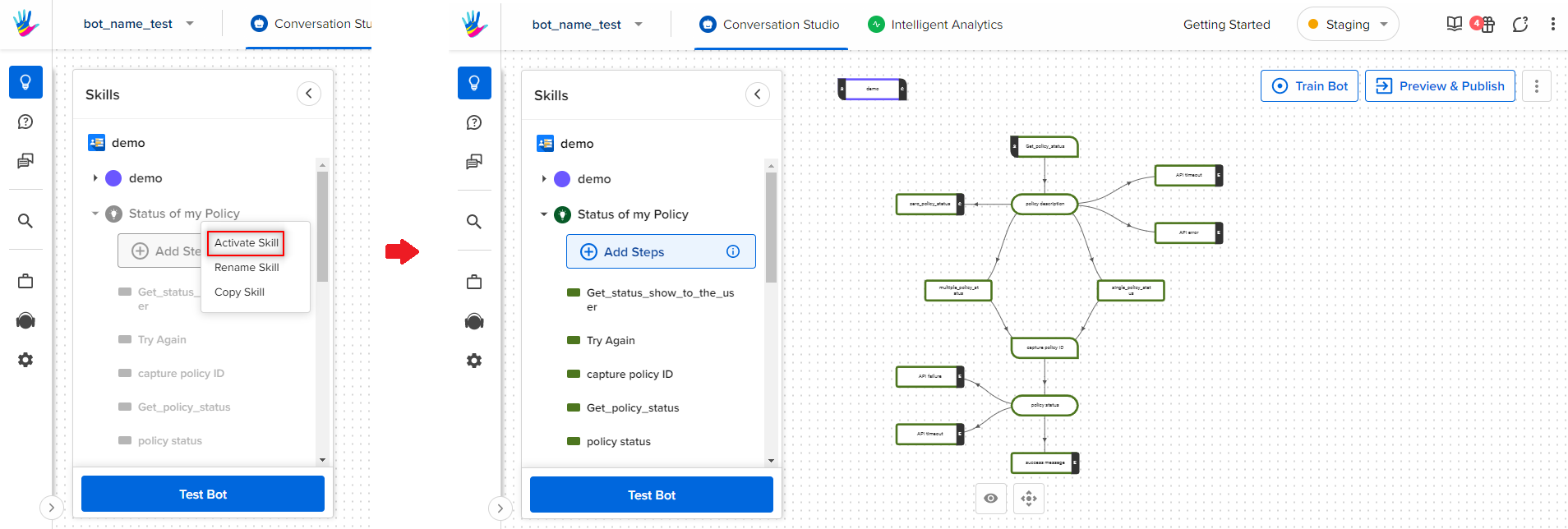
In order to reactivate the Skill, you will have to select the Skill that is in a deactivated state, and simply select the Activate Skill option, and this will activate the Skill, by adding its structure on the bot, as shown.