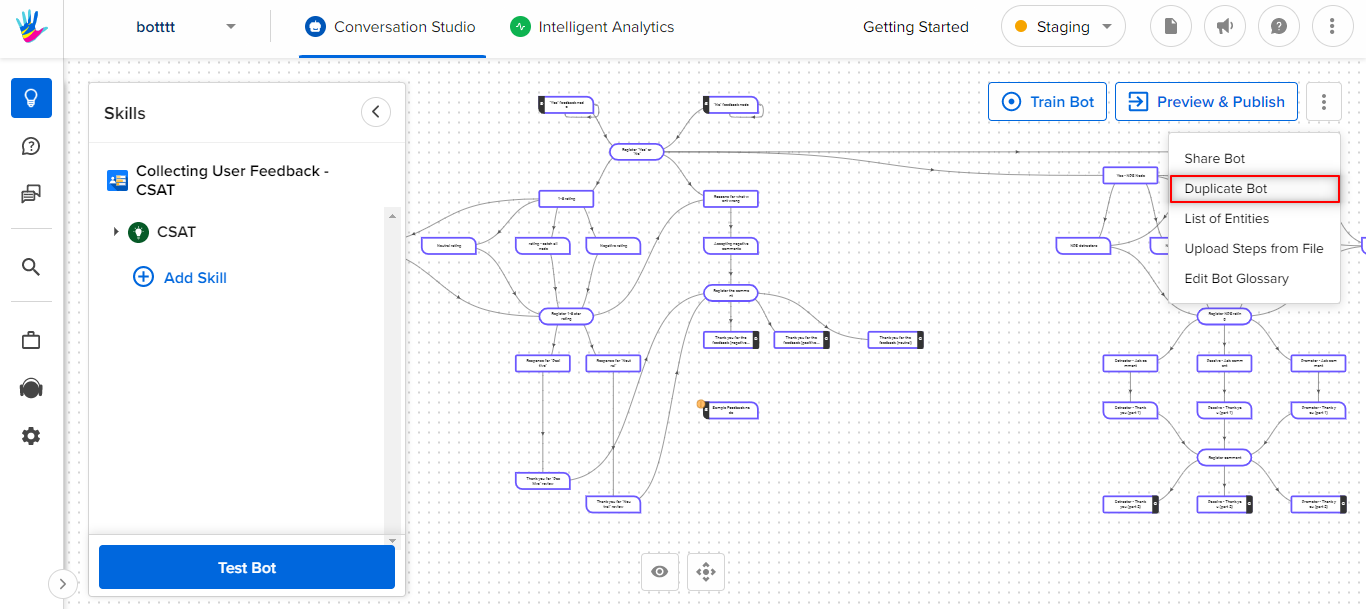
Click on Duplicate bot from the options, as shown -
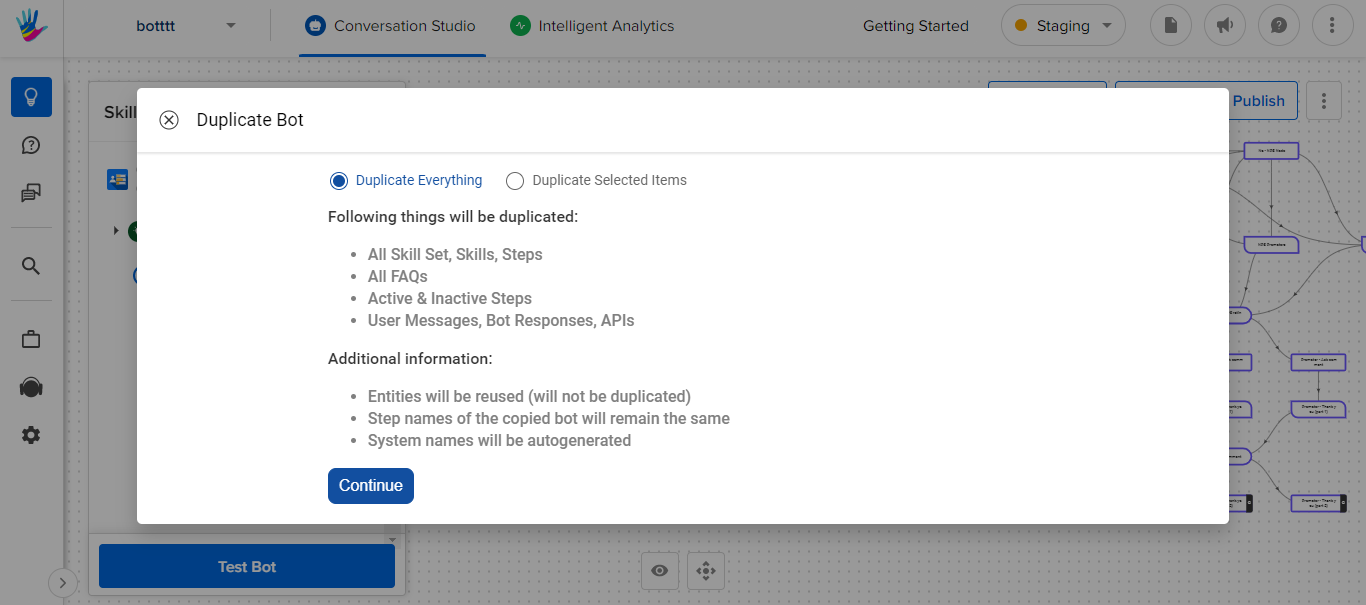
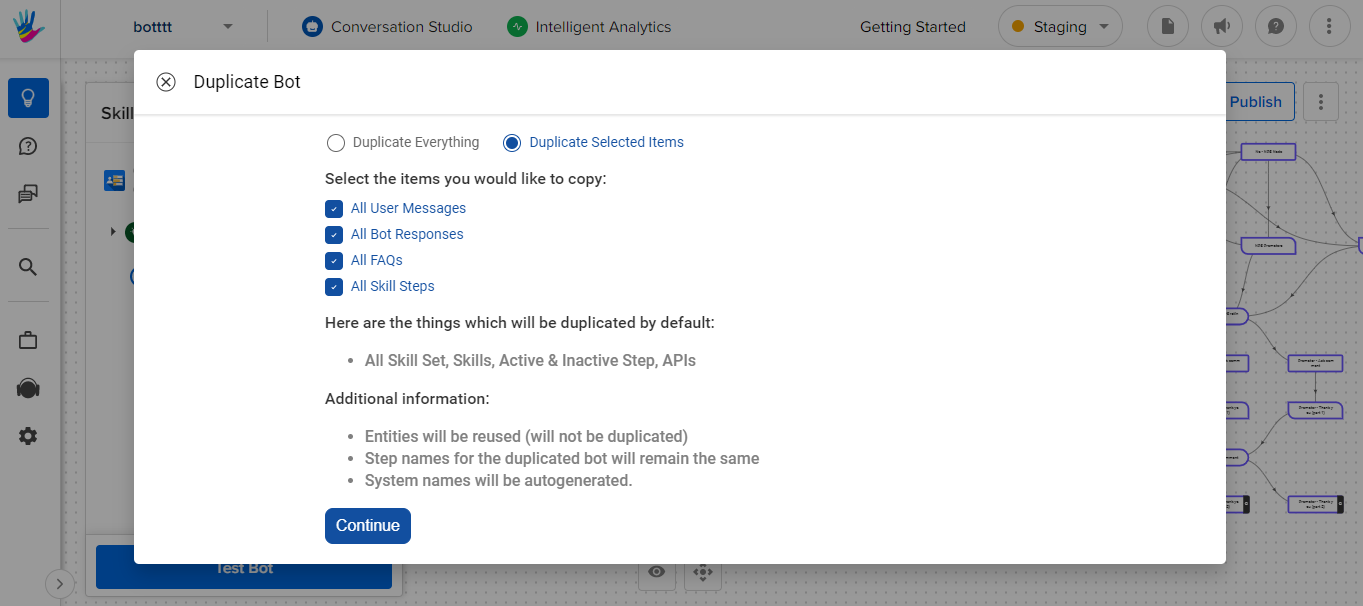
Once you have clicked on the Duplicate bot option, the following screen appears with two options, select the appropriate options on the basis of your requirement.
Duplicate everything: It will copy the entire bot as it is on the new bot.
Duplicate Selected Items: It will copy the marked items on the new bot.
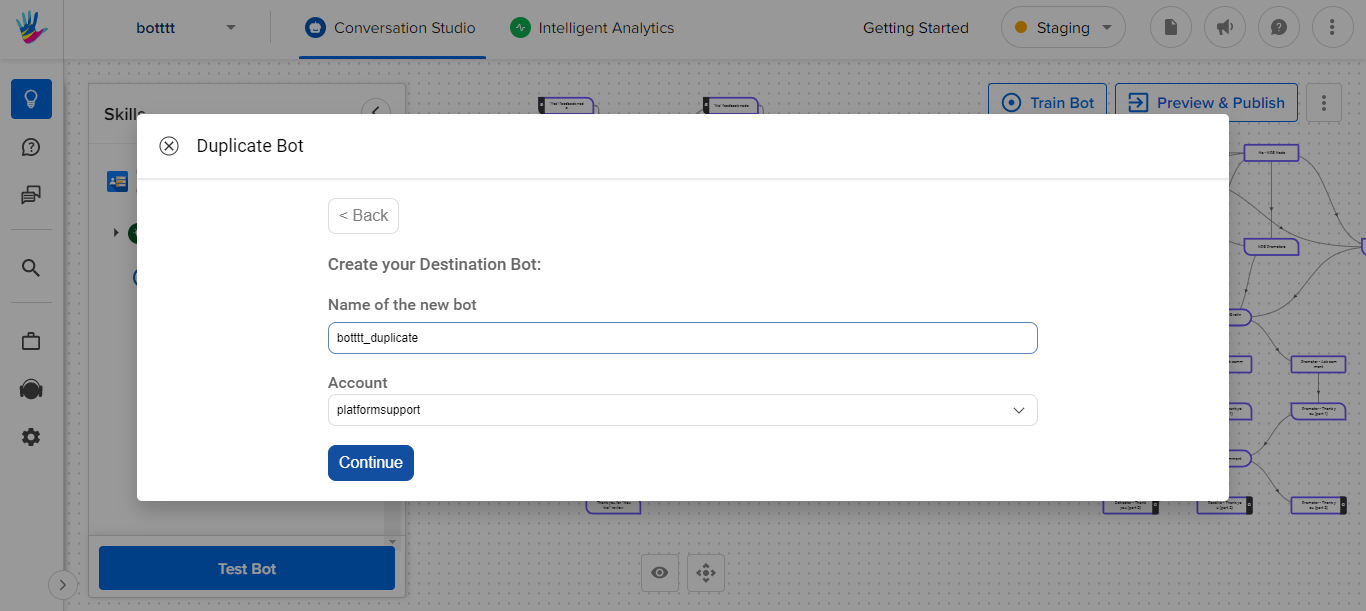
Next fill in the information required and click on Continue.
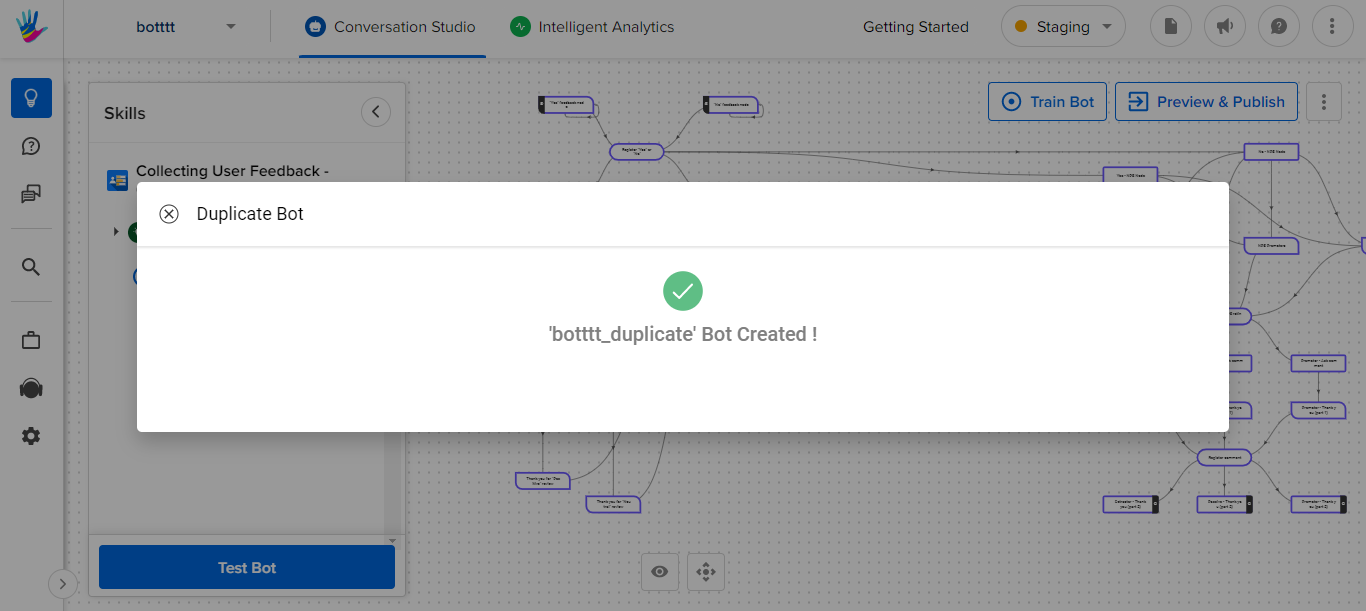
Duplicate Bot gets created.
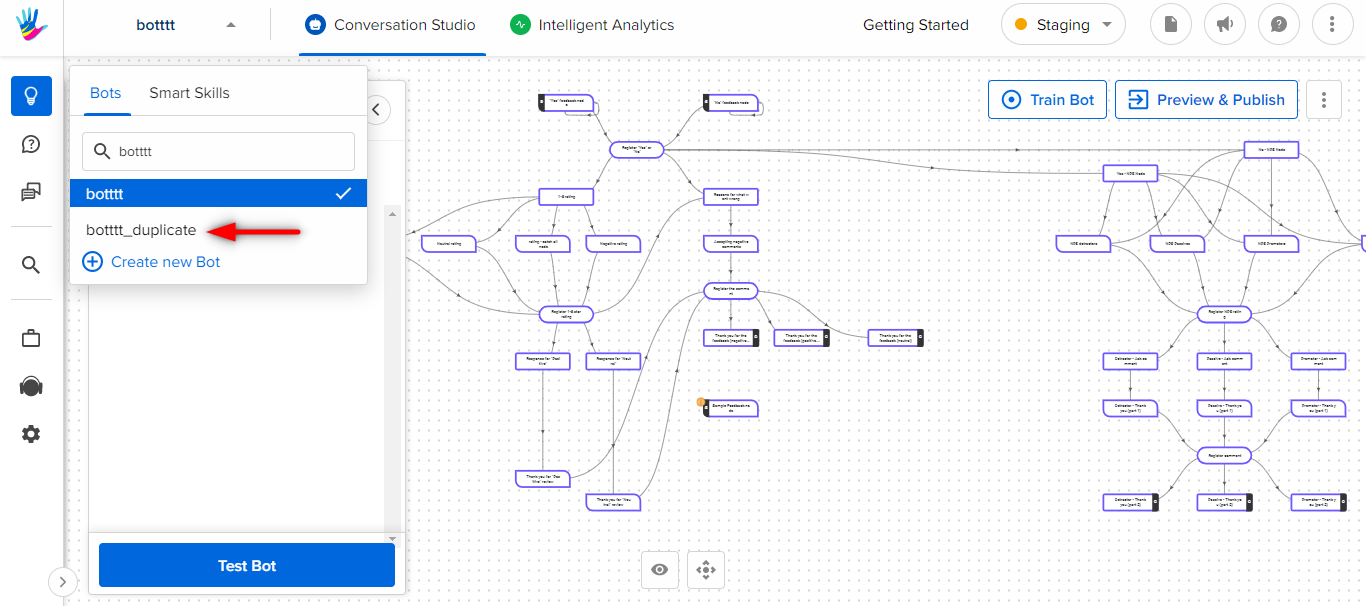
Now, you can search for your new duplicate bot, on the search bar and open it.