In order to acquire Business ID, Account ID, and Token, you need to first navigate to your bot on Haptik.
Business ID and Account ID
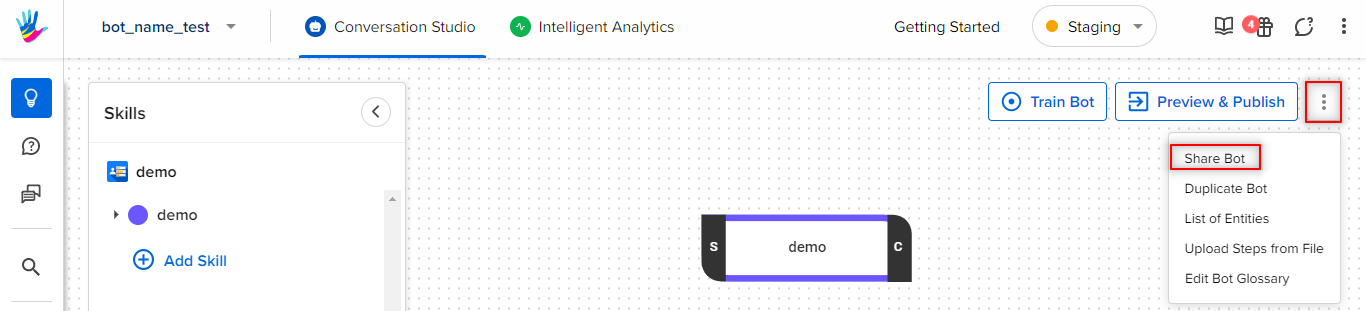
Navigate to Conversation Studio, and move to Share Bot option, by tapping on the three dots on the screen beside Preview and Publish bot button, as shown.
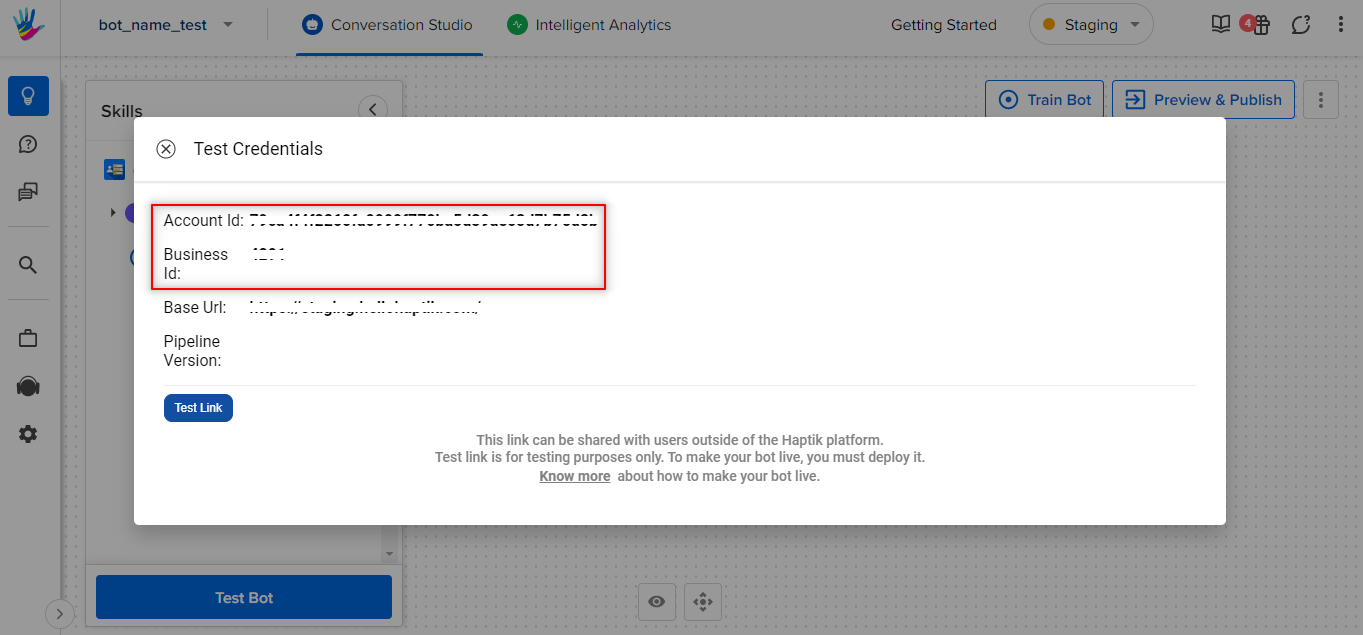
After selecting the Share Bot button, you will see the following pop-up, where you can find the Business ID and Account ID.
Token
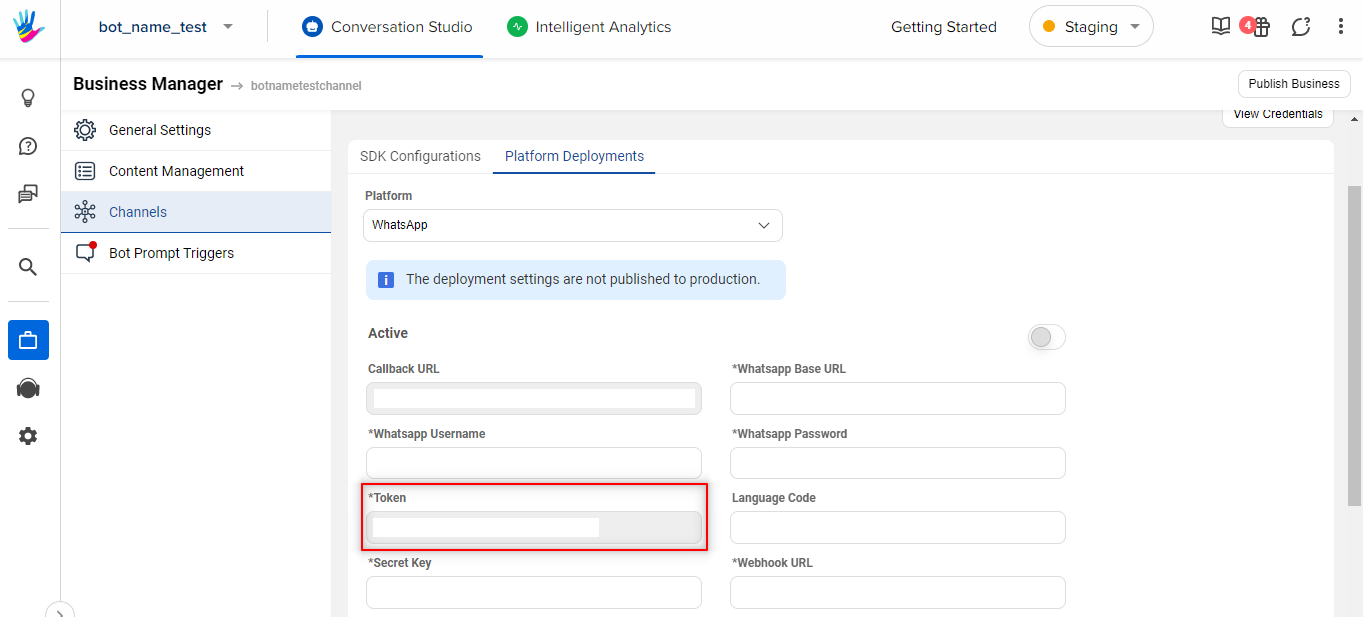
In order to acquire the Token, you need to navigate to Business Manager > Channels > Platform Deployments, as shown.