Overview
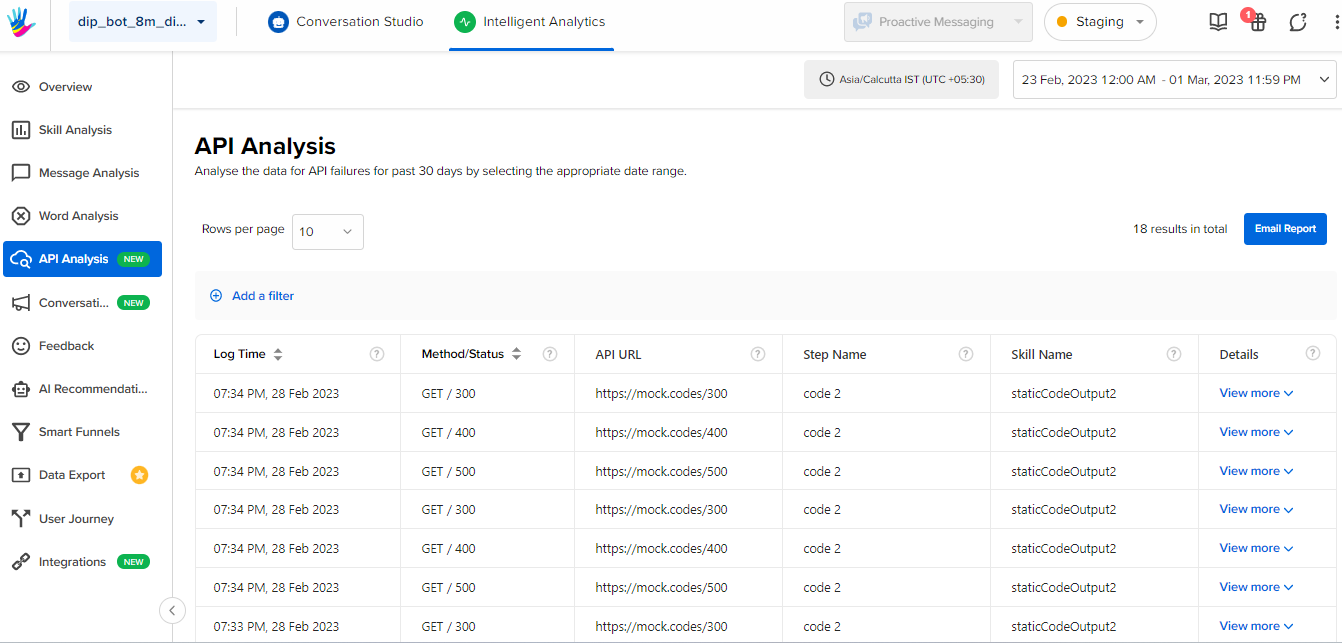
This screen helps clients understand and analyze the conversations that are getting impacted by the API failure. One can analyze bot break due to an API failure with the help of data points, some of which are:
- Type of API failure occurred
- API URL failed
- Skill & Step Name
This screen basically consists of a table that displays the analysis of various APIs associated with particular steps, as below. Click on the ? icon next to the table column to know more.
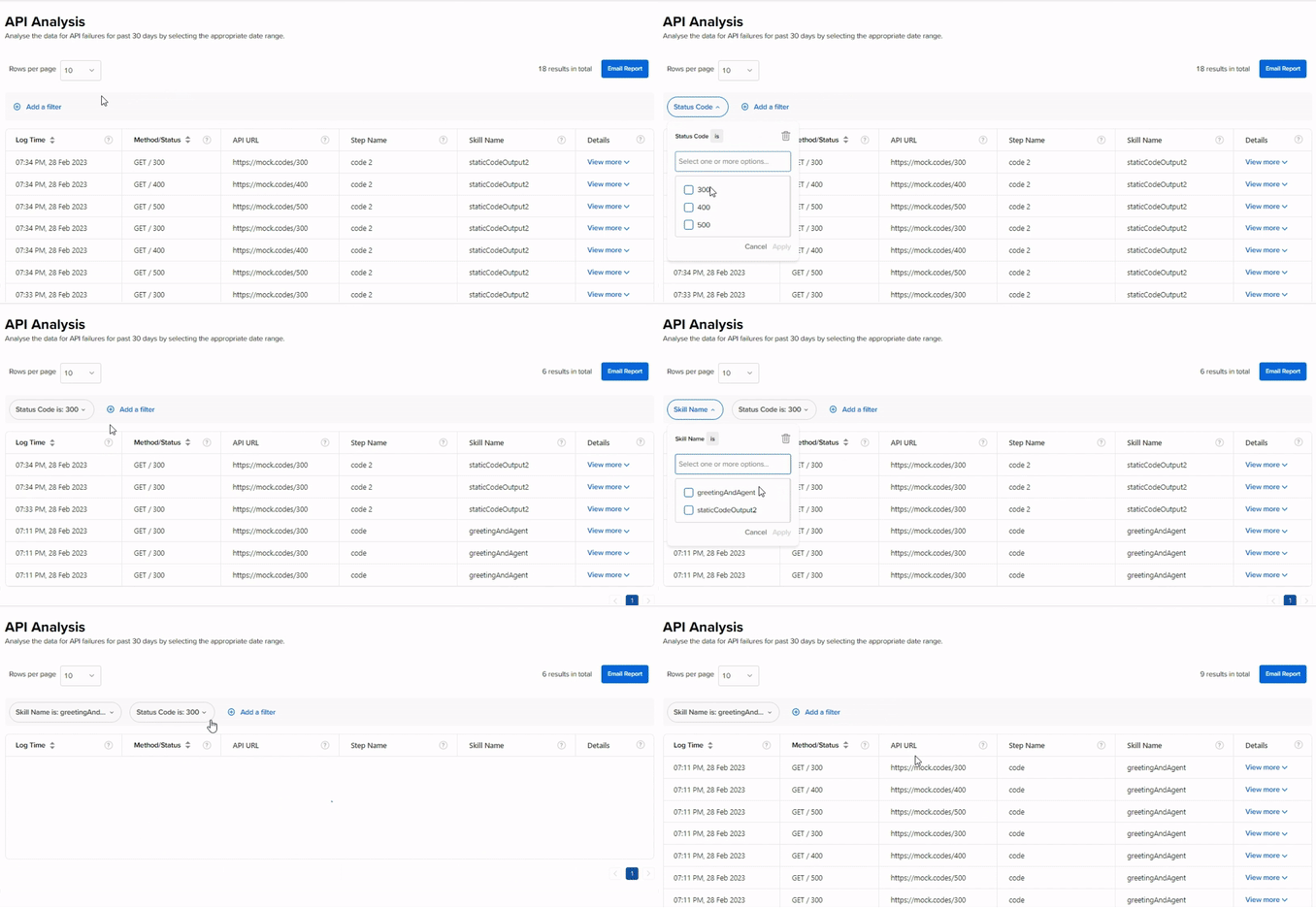
One can add filters as well by clicking on Add a filter button. The functionality is shown below.
One can click on the Email Report button to email the report table on the logged in user’s email address.
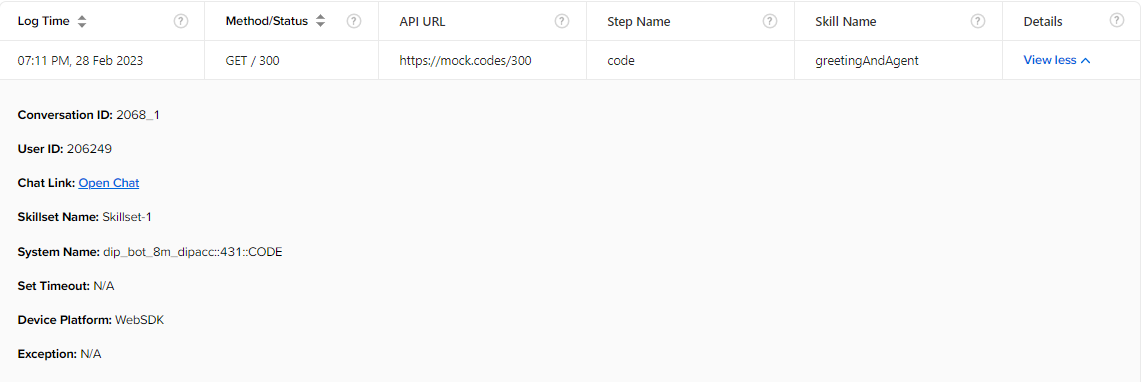
The information present under View more in the Details column is provided to help you with better debugging & additional insights. Particularly, the Conversation ID, User ID & Chat Link would help in uncovering the cases where API is failing only when the user is traversing through a particular journey & not a particular node.
You can also use this feature via API Failure Only toggle available on Message Analysis. For more clarity on this feature, contact your Haptik SPOC.