1. Display a static HSL element -
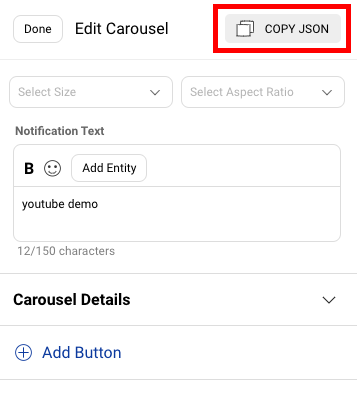
You can use HSL's (Chat Elements) to display different elements on the bot, such as carousels and buttons. To display HSLs using code step, we first have to copy the HSL from any static step, with the required elements such as a button. The procedure to copy an HSL is mentioned here.
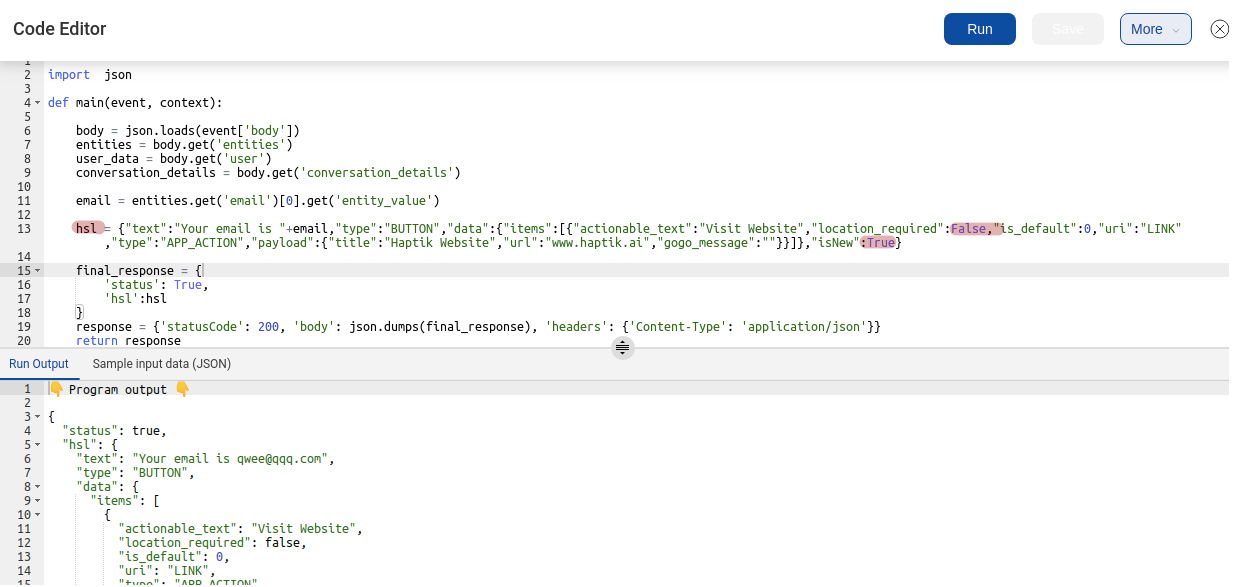
Change the True and False flags according to Python conventions as shown below -
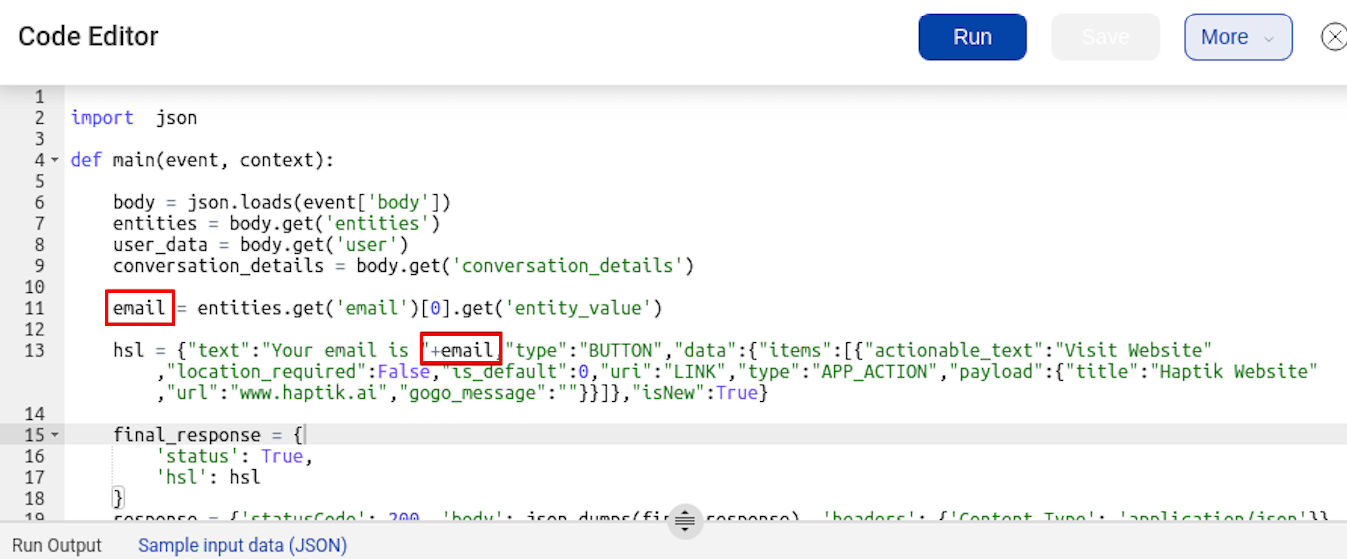
The variables used in the code can also be used in these HSLs to show user specific information -
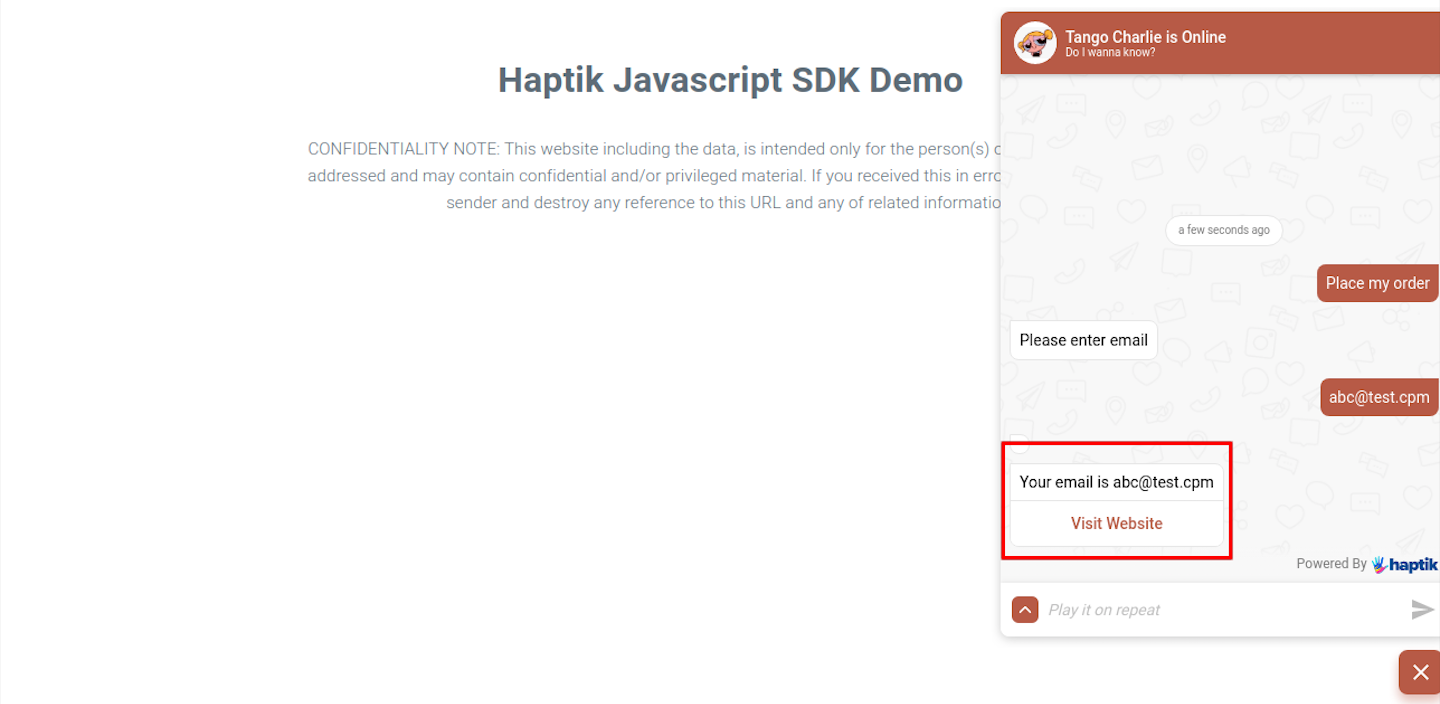
Here, we have created a button HSL to display the message “Your email is abc@test.com” and a button that redirects to Haptik’s website. When the code is executed on the IVA, it appears as follows -
2. Display dynamic HSL elements -
You can show the dynamic number of HSLs using the code editor. The following is an example to show the active orders of a user using the Carousel element -
def main(event, context):
    """
    event['body'] is a string dict with the following keys:
    node, event, user, entities.
    Currently, we pass user_id, user_name, full_name, device_platform and language_code in the user dictionary.
    Args:
    event (dict): Data corresponding to this event
    context
    Returns
    (dict): response with statusCode and the response for the User
    """
    body = json.loads(event['body'])
    entities = body.get('entities')
    user_data = body.get('user')
    conversation_details = body.get('conversation_details')
    env_variables = body.get("env_variables")
    entity = Entities(entities)
    order_id = entity.get('capture_track_orderid_copy', '')
    order_details = get_order_details(env_variables, order_id)
    if 'Statuscode' in order_details:
    return order_details
    # get_order_details() will call the API by sending entity values as payload and fetch all the order details
    message = get_order_message(order_details)
    # get_order_message() returns order details in a button HSL
    final_response = {
    'status': True,
    'hsl': get_carousel(self, orders)
    }
    response = {'statusCode': 200, 'body': json.dumps(final_response), 'headers': {'Content-Type': 'application/json'}}
    return response
def get_carousel(self, orders):
    carousel_items = []
    for order_item in orders :
    carousel_items.append(self.get_carousel_item(order_item))
    carousel_hsl = {
    "text" : "Here are your order details",
    "type" : "CAROUSEL",
    "data" : {
    "image_aspect_ratio" : "1000",
    "width" : "MEDIUM",
    "items": carousel_items
    },
    "isNew":False
    }
    return carousel_hsl
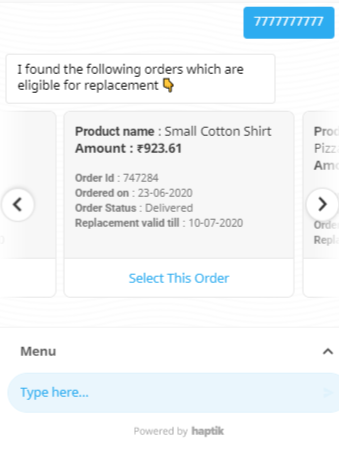
All the orders retrieved from the API will be displayed using the Carousel element as follows -