You can set environment variables for the code executor to store values like database username and passwords that you don't want to expose inside the code.
The environment variables are stored at a bot level. This means that variables stored in one step are automatically available to all steps inside the bot.
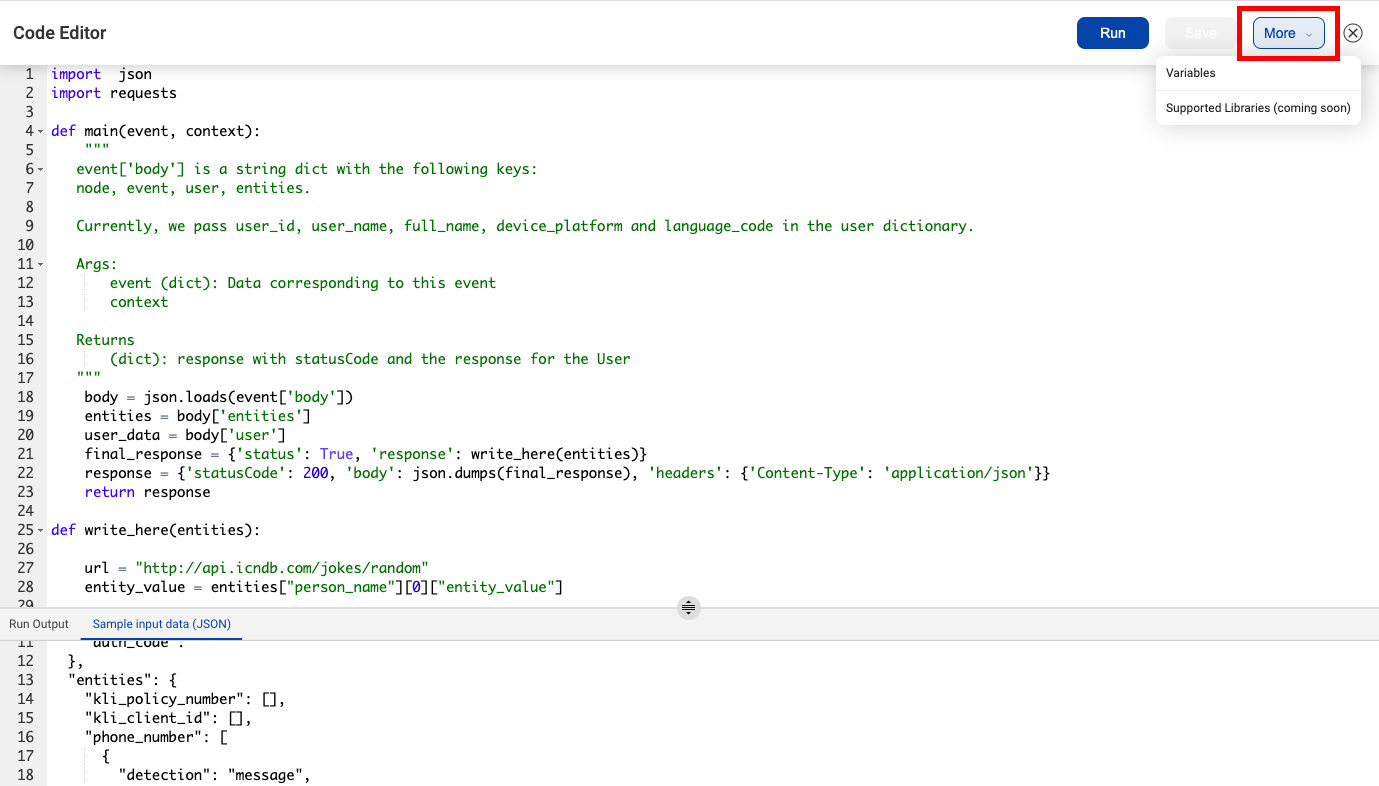
You can set these variables by opening the code editor, clicking on the More button in the top right corner
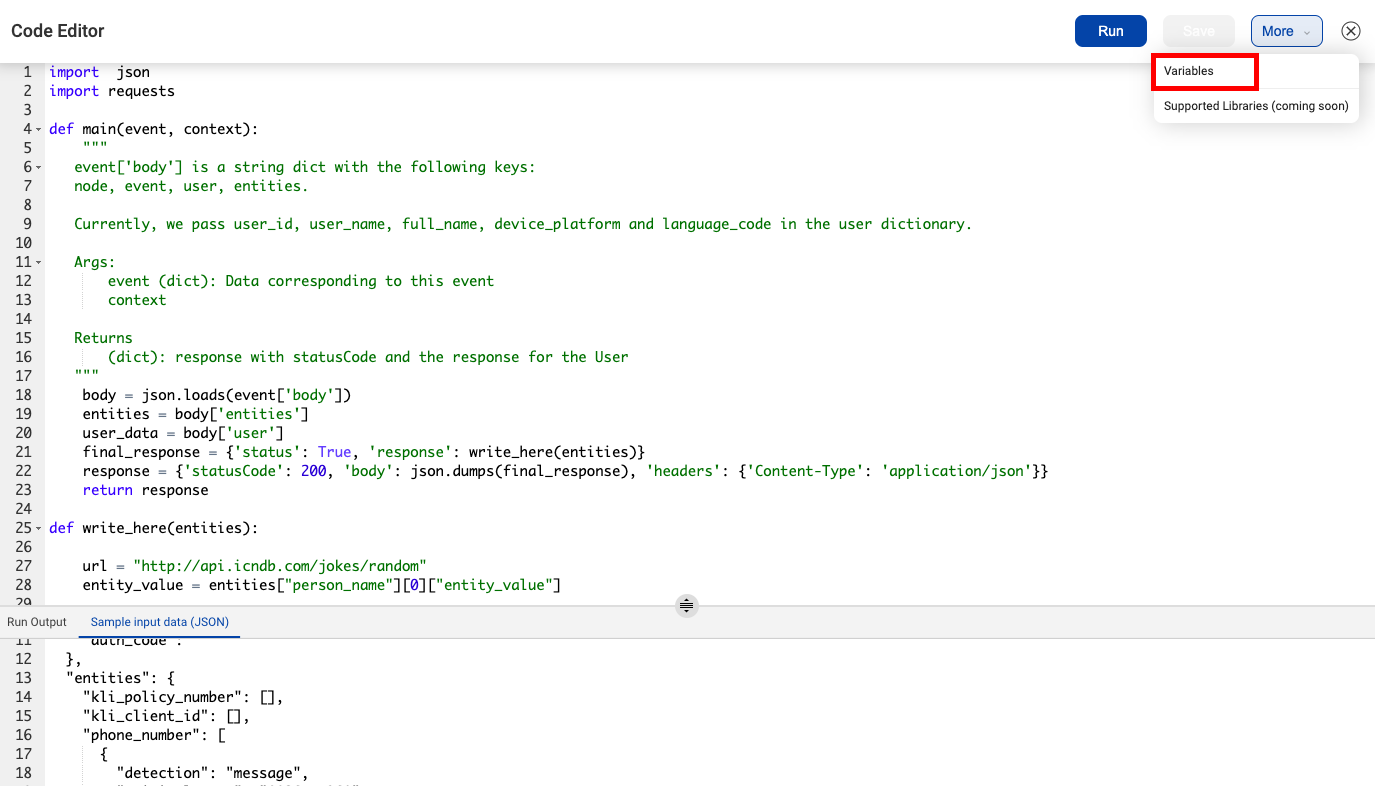
and selecting the Variables option.
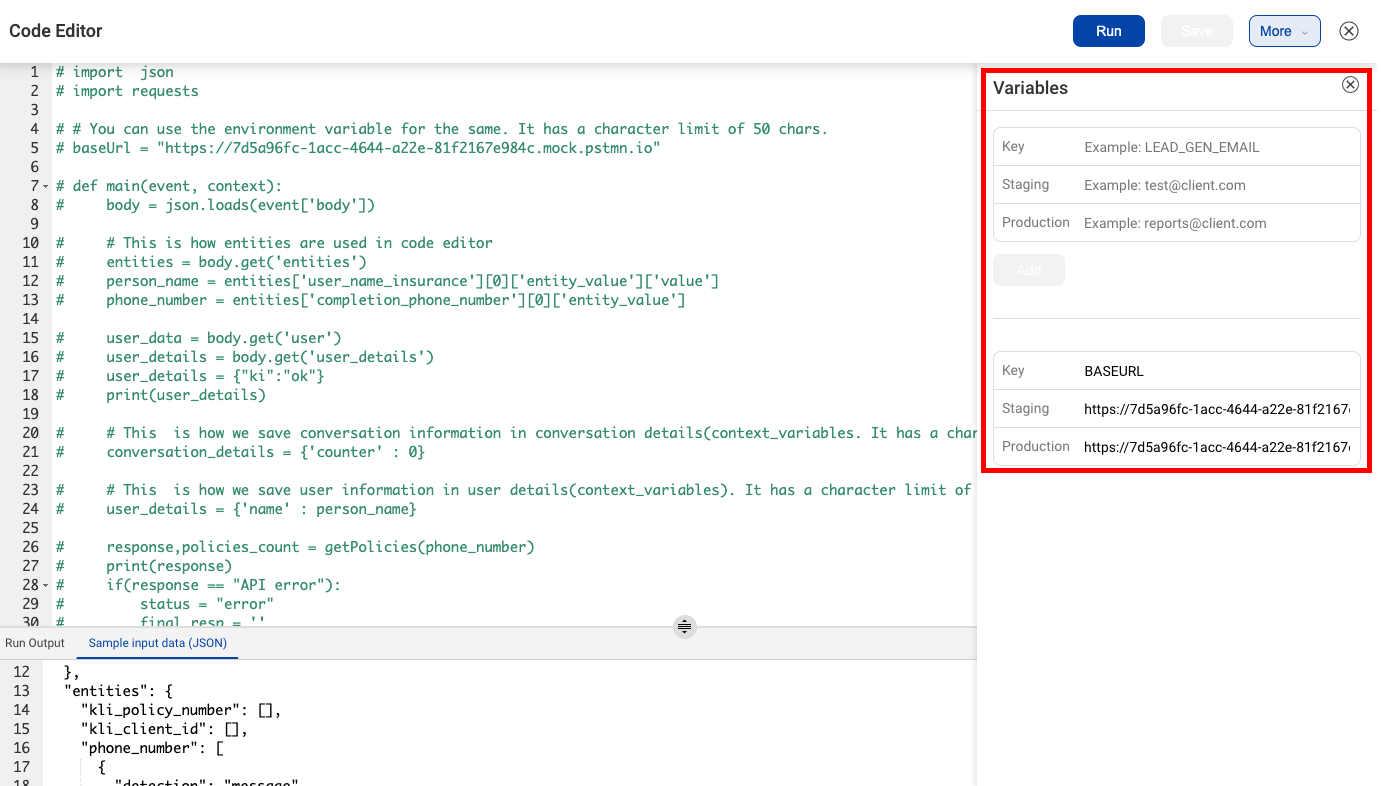
In the variables the menu that opens, you can set the variable name and values for the variable on the staging and production environments. For example, you can create a variable called MONGO_URI and set its staging value as mongodb://mongodb0.example.com:27017/admin and its production value as mongodb://mongodb1.example.com:27017/admin.
These environment variables are then available within the request parameters for the integration functions. You can read about the request parameter structure here
There is a character limit of 50 to store the environment variables. If this limit exceeds, the IVA will break.