Bot Break Messages
This is the message that will be sent to users when the bot breaks. Every time a user asks a query to the bot, the bot responds. But, there are certain queries for which the bot is not trained, or the query is too complex for the bot to understand. At such times, the bot would send a Bot break message.
It is a generic message that is sent to the user, every time the bot fails to understand the User's message. You can use Texts and Buttons while configuring Bot Break Messages.
Carousels, Images, and Quick Replies are not supported as Bot Break Messages. Even if you add them to your bot, there will be no response sent from the bot.
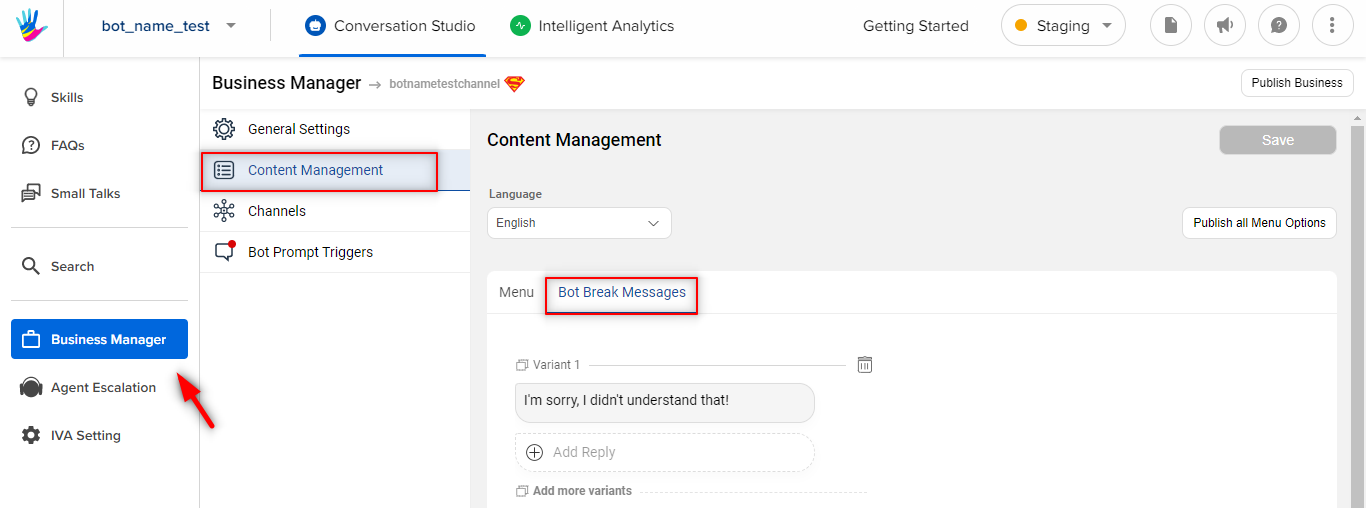
You can navigate to Bot Break Messages, by selecting Business Manager, and further selecting Content Management, as shown below -
You can add and edit bot break messages in the Bot break messages section, as shown in the image below.
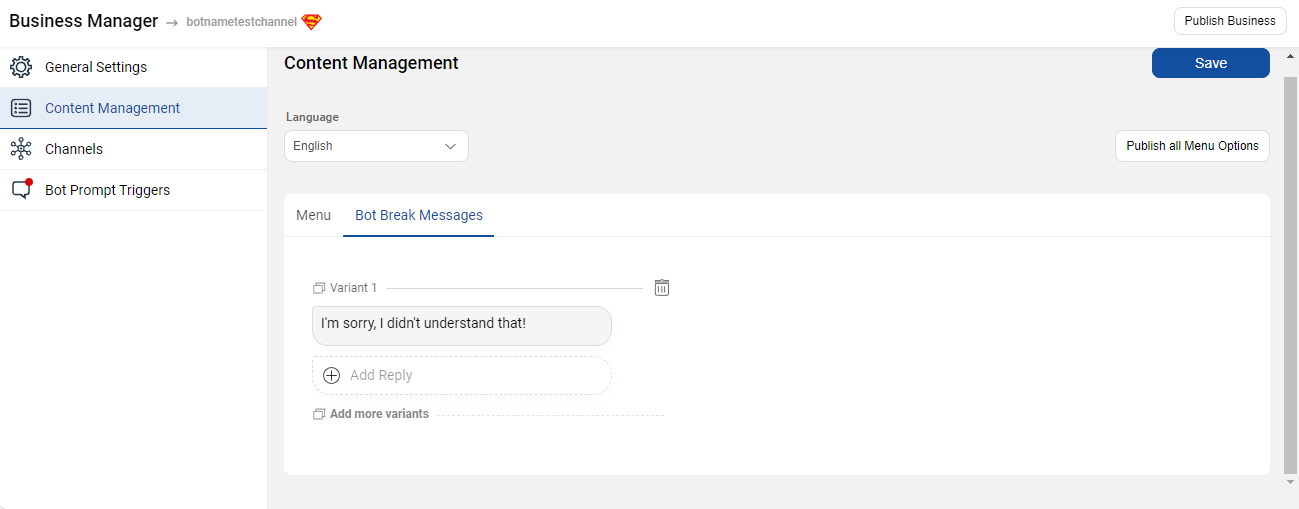
Bot break means a bot isn’t able to come up with an appropriate response to the user’s message.
This can be configured for language-specific queries too, by choosing the language at the top.
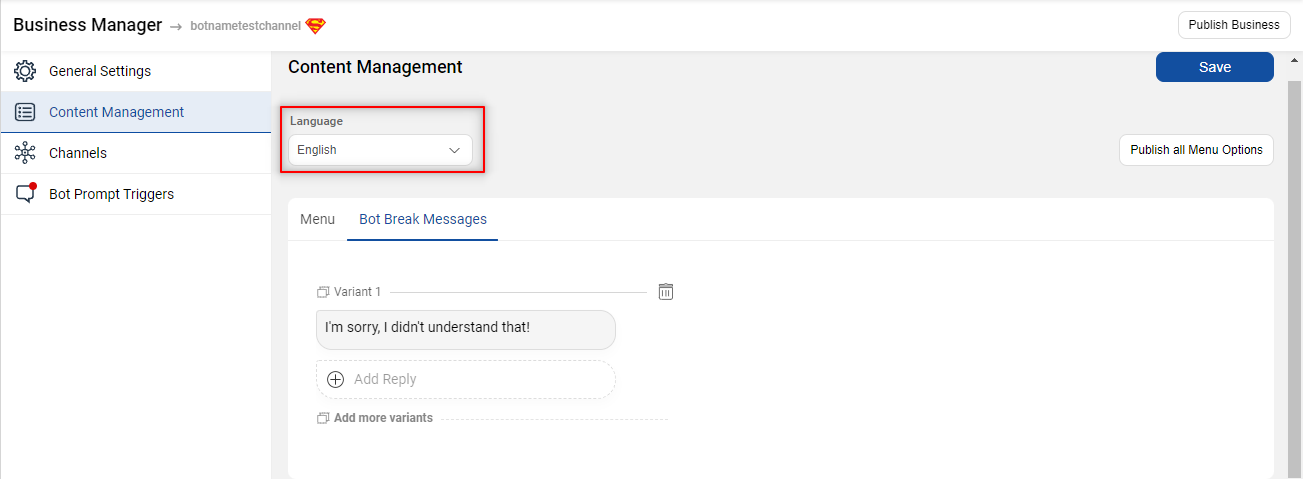
- You can change the default bot break message.
- Add more variations of the bot break message using various chat elements.
- Once you make the changes to the message, click on Save.
- Buttons and quick replies cannot be added for channels that do not support the elements.