Smart Skills are templates designed and built for 100+ use cases with multiple edge cases and possibilities to ensure all user endpoints are considered.
Based on your business/client requirements, cases can be added or reduced in order to save the overall design as well as bot-building effort.
Smart Skills built by Haptik solve not only key business problems but also reduce the time-to-value.
Here’s a step-by-step guide on how to design a journey using Smart Skills:
Step 1: Review the business requirements and make a list of Smart Skills required from here. In order to add a Smart Skill, simply click on Add Skill and search for a Skill as per the business's use-case.
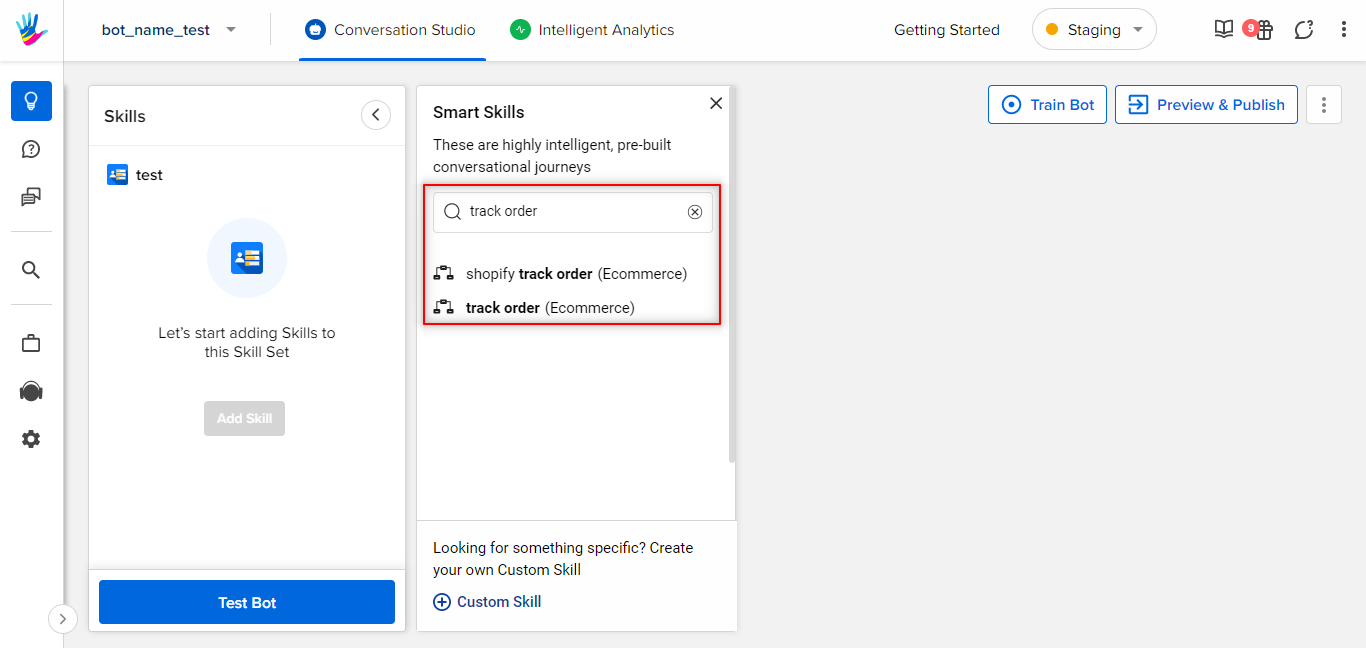
Tip:
In case the same use case is deployed on multiple Channels, there would be a Smart Skill for each Channel. For instance, WhatsApp and Web will each have one Smart Skill of the same use case.
Step 2: If a Smart Skill is unavailable, reach out to the Project SPOC and get an update about readiness.
Step 3: Once you have narrowed down the Smart Skills basis of the requirement document, copy the design of the Smart Skill from the design links shared by the Smart Skill team, and paste them onto a new lucid with the different use cases on different tabs.
Step 4: Name the file in the following format: Client Name_Platfrom_SmartSkills
Step 5: Go through the Smart Skill that showcases the designs containing all edge cases.
Step 6: Now make a note of all questions you might want to ask the client to create a combined journey using all the shortlisted skills; and go prepared for the Kick-off call after reviewing all documents (Sales proposal, any docs or flows shared by the client & Smart Skill Lucid copy made basis the proposal).
Step 7: On the kick-off, show your Smart Skill design copy and review it with the client. Ask questions and take feedback. Make edits if needed. Some instances of this could be:
- There is a very specific business requirement that would need an upgrade on the Smart Skill.
- There are business-specific copy changes to match the brand values.
In case of any major flow updates in the Smart Skill or if you feel that the requirement was missing in the existing Skill, do drop a feedback note to the Smart Skill team after your final design is approved.
Example #1
In the case of Book a Slot Smart Skill, if the business wants to ask the user their preferred time and date in the form of a calendar, use the calendar output. In case the business wants to collect data in free form i.e. by asking the user to directly enter date and time, you can choose that output too.
Example #2
In the case of Track My Order Smart Skill, if the proposal requires the user to track the order only one shipment at a time, then you can eliminate the multiple order shipment logic from your design.
Step 8: Understand the API requirements and their output parameters and see where it does not match the skill, make necessary edits basis API in the design as well.
Step 9: Once this V1 of design is ready, do a copy and grammar hygiene check.
You can read more about Modifying Smart Skills on Conversation Studio here.