You can transition from a code step to any output step basis a set of rules/conditions applied on the output JSON from the code step.
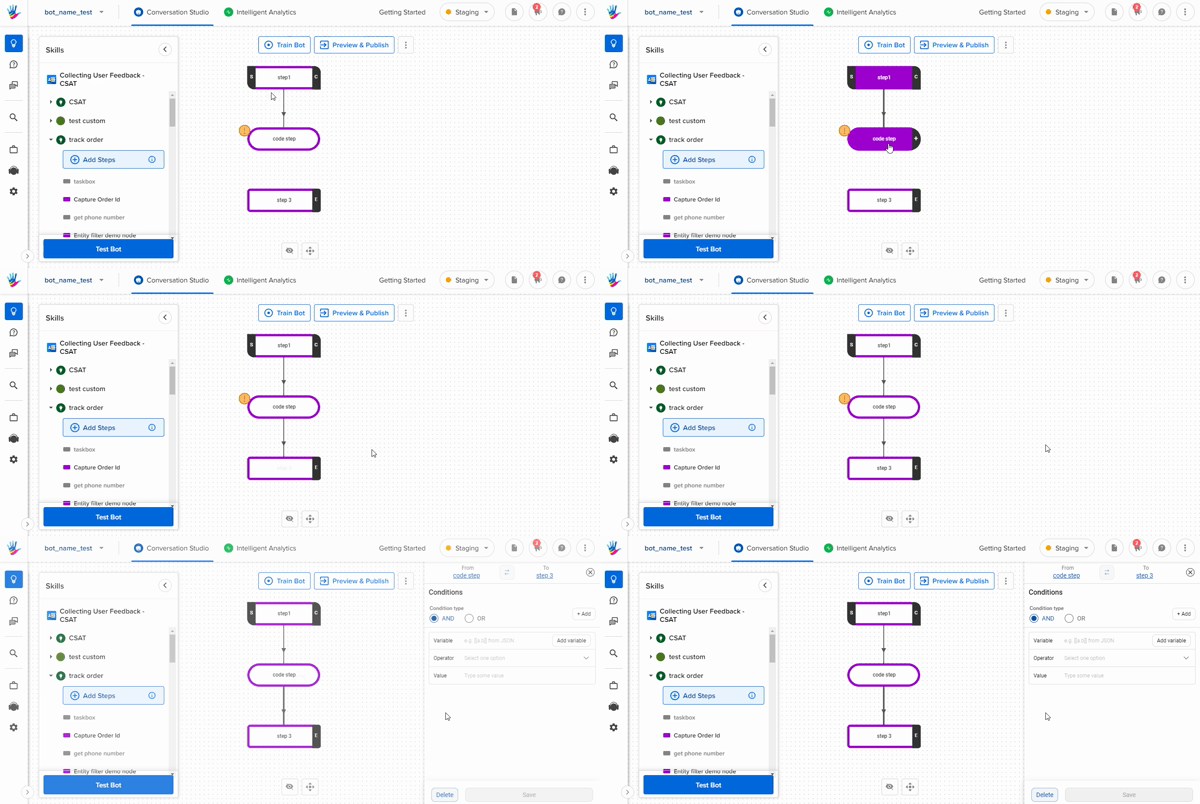
Transition Basis Rules on Output JSON:
You can apply a combination of rules combined by either AND or OR to traverse from one step to the other.
You can add rules in the following way:
- Click on the connection between a code step and an output step to open the RHS window.
- Select the condition combination type as
ANDorOR. - Next, select the variable from the JSON on which you want to add a condition. For example, choose the
Salaryfield from the JSON output. - Next, select the conditional operator that you want to apply from the dropdown. For example, choose the operator as
Greater Than. - Finally, enter the value to complete the rule. For example, we can enter the value as
25000. Now the rule becomesSalary Greater Than 25000and the step will be traversed whenever this condition is true. - You can add another rule using the
+ Add Conditionbutton from the top menu of the RHS window.