What is a Skillset?
A Skill Set is a collection of skills that enable your bot to handle queries that need a complex conversational journey. These skills help the user to resolve their queries. A Skill Set aligns with the overall goals of the bot.
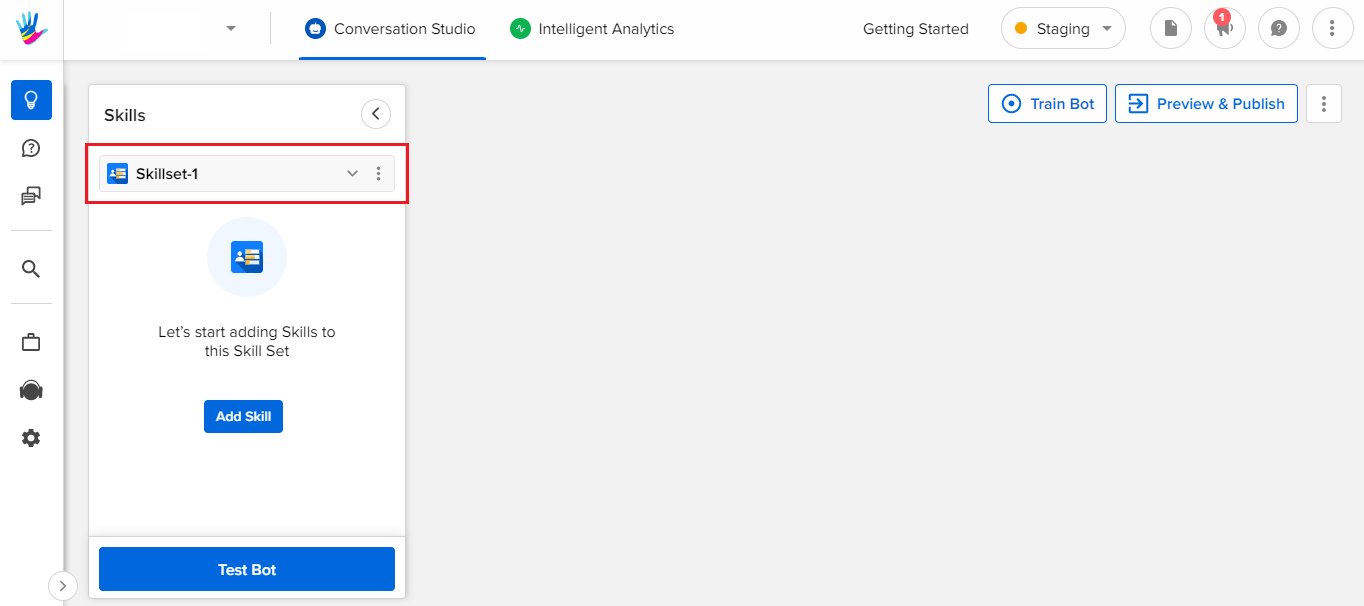
Whenever you create a bot, you are by default in a Skillset titled "Skillset 1". Along with this, there is another Skillset called "Collecting user Feedback - CSAT" which is also added to the bot by default.
Create Skill Set
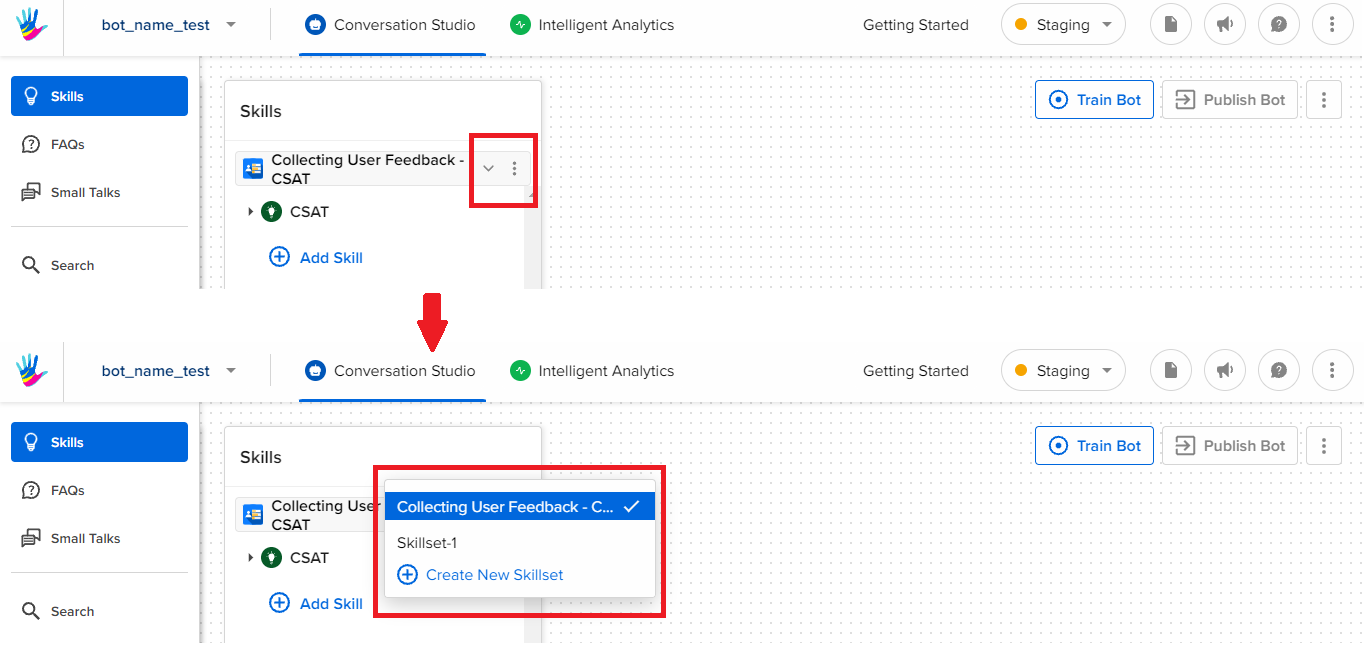
- To add a new Skill Set to your IVA, click on the downward-facing arrow beside the CSAT Skill set, as shown.
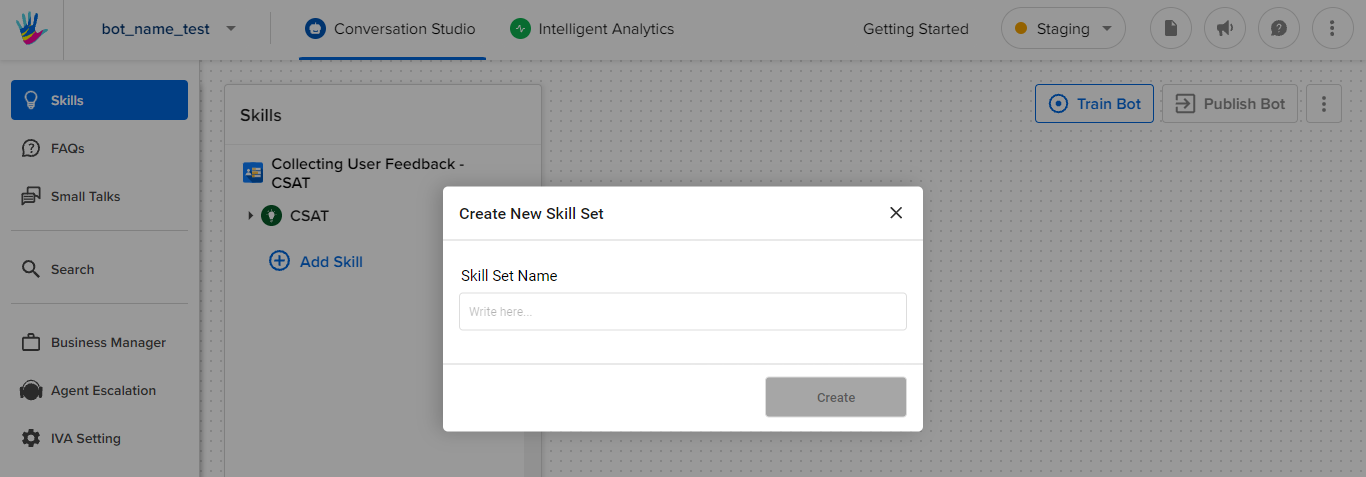
- Provide a name to your skillset, and select Create.
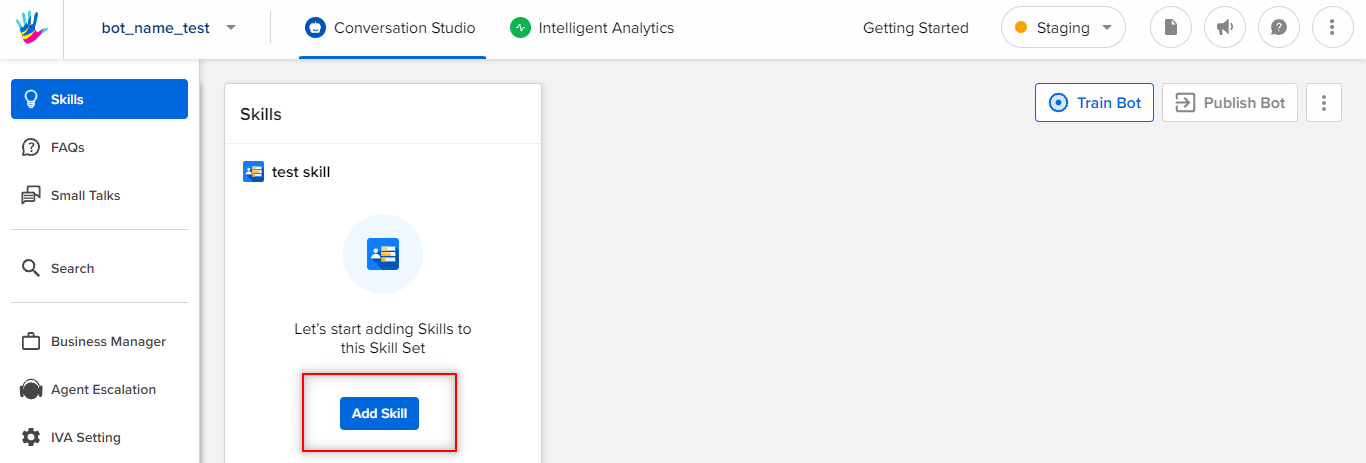
- Once you create a skill set, you will land on the following page, where you can start by adding skills.
What is a skill?
A Skill is a predefined conversational flow between a bot and a user. It contains multiple steps and connections between those steps.
The conversational flow is from a user as well as from a bot's perspective. The basic purpose of the skill is to provide a conversational journey for a user to accomplish certain tasks. Skills can vary from business to business.
For example, an e-commerce business would need a skill, based on order placement, and payments, whereas a hotel business would require a skill, based on hotel room booking, cancellation, and so on. So, you can never have a single skill that would work for all, and it all depends on what your business requirements are.
Types of Skills
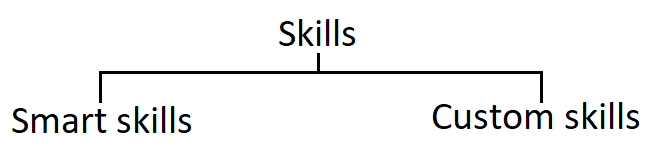
Smart Skills
Smart skills are pre-defined user journeys designed for various use cases.
To know more about Smart skills click here, and if you want to get started with adding a new smart skill, click here.
Custom Skills
If the Smart Skills available on the Conversation Studio are not aligning with your use case, you can create a Custom Skill, i.e. a skill made from scratch.
To know more about custom skills, click here.
Activate/Deactivate a Skill Set
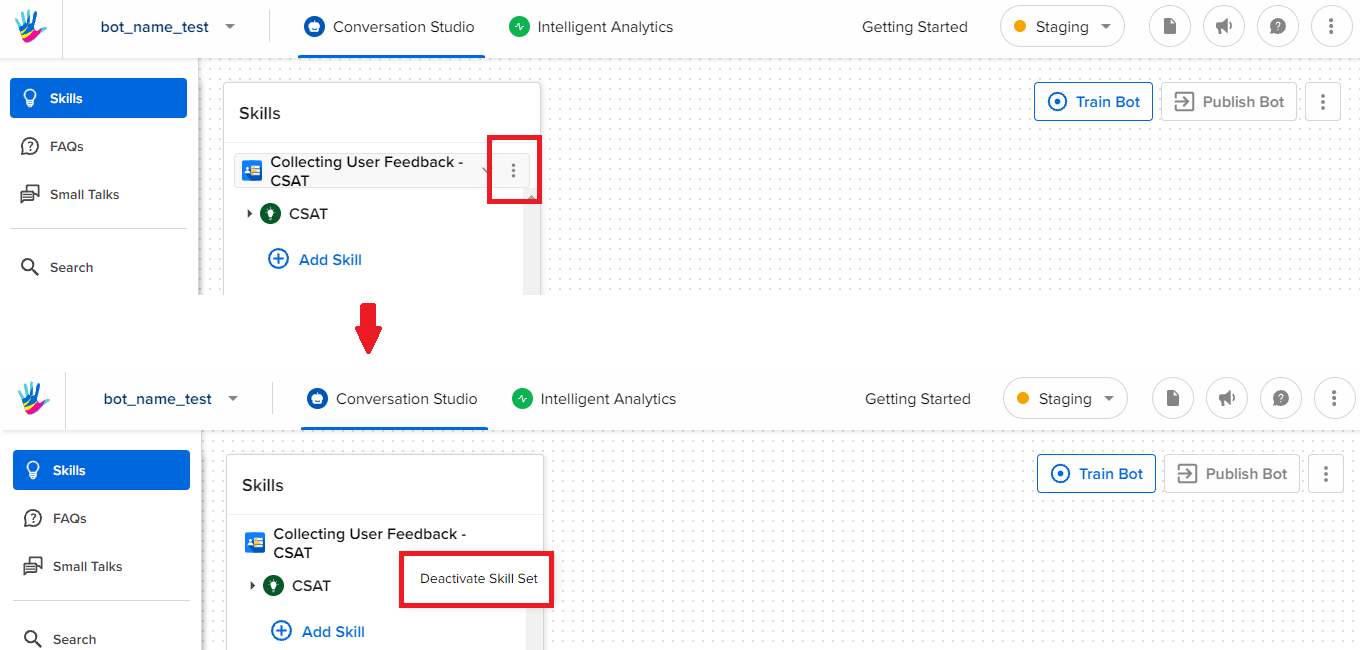
- If your Skill Set is no longer required on your IVA, you can simply Deactivate it, as shown below -
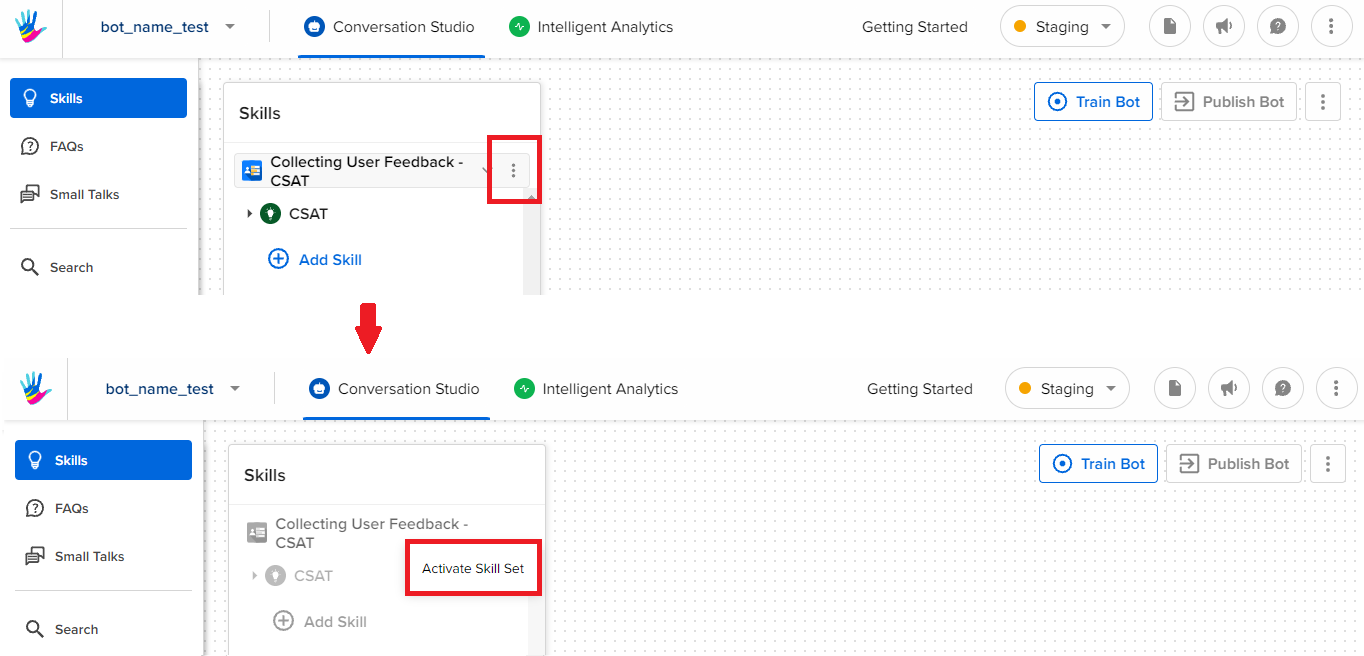
- You can Activate a deactivated skillset, in the following way -
If you do not want to create a new Skill from scratch, you can also Copy a Skill. Learn more about it, here.