At the end of every conversation, agents have to mark a closing category along with reason. This is mandatory if the closing categories have been set up initially.
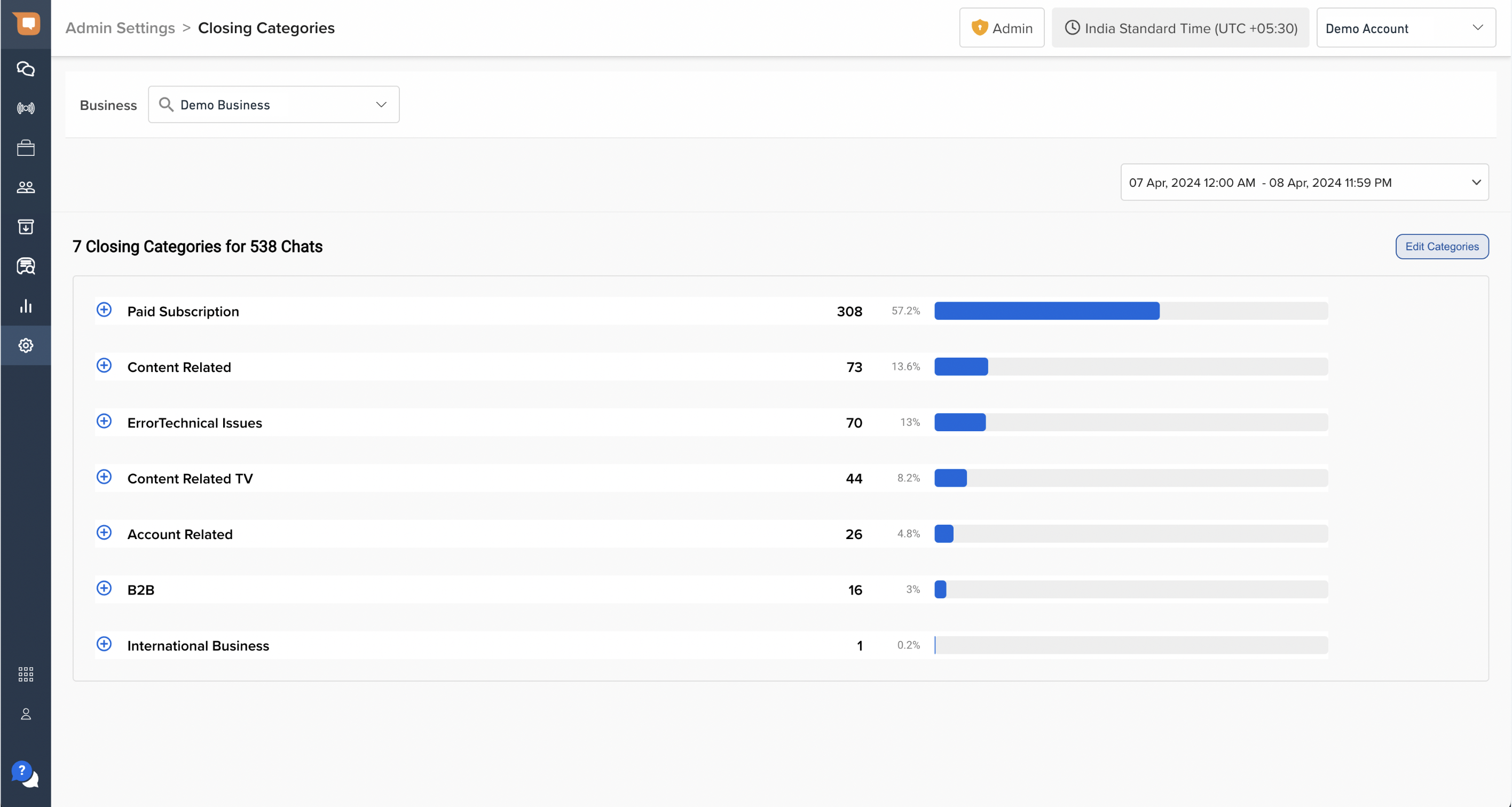
While analyzing the chats, Closing Categories help you provide an insight into how many queries you are receiving for a particular category.
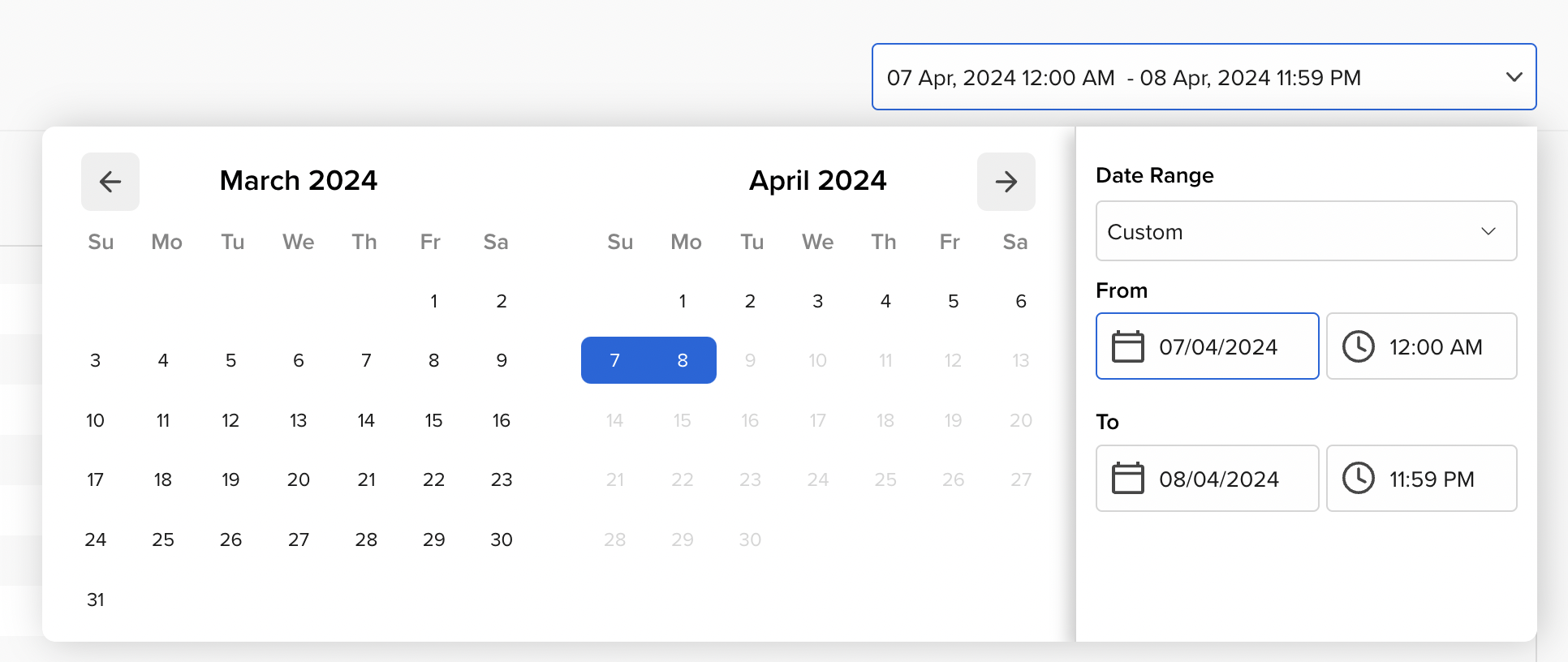
You can set the duration to analyze closing categories according to a specific time period by using the date picker on the top right corner of the page.
Please note that you see a number in front of each category, which represents how many conversations have been closed for each category.
Once you click on a closing category, you will get the further classification of the number of chats having a particular reason and sub-reason (if it's enabled from the Business Settings).
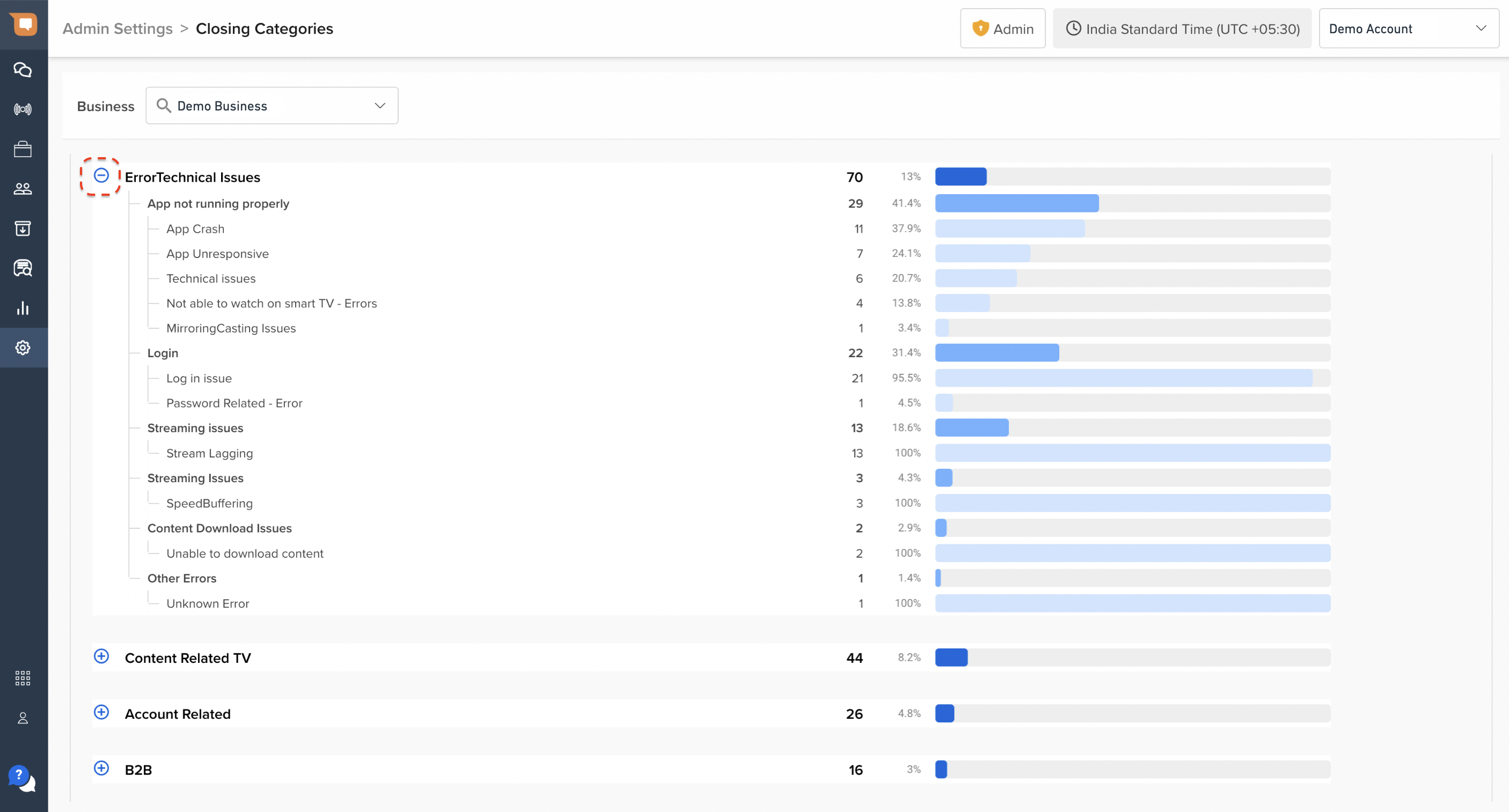
The closing category heatmap helps you analyze the number of queries you are receiving on your bot, which will help you improve your bot so that it can handle generic queries flawlessly next time.