Overview
Location sharing is imperative from a business perspective because customers may want to visit your store and check products in real life. Well, with Haptik, you can teach your bot how to share your business locations on the go on WhatsApp.
Steps to Enable Location Messages on WhatsApp Bot
- Log in to your Haptik account and choose the bot for which you want to add location messages.
- To send a location request message, first assemble an interactive object with text you wish to display in the message, as below:
{
  "type": "WHATSAPP_LOCATION_MESSAGE",
  "location": {
    "longitude": -122.425332,
    "latitude": 37.758056,
    "name": "Facebook HQ",
    "address": "1 Hacker Way, Menlo Park, CA 94025"
  }
}
Note that longitude and latitude are mandatory fields, while name and address fields are optional.
Name |
Description |
longitude (Required) |
Longitude of the location. |
latitude (Required) |
Latitude of the location. |
name (Optional) |
Name of the location. |
addess (Optional) |
Address of the location. It will be displayed if the name field contains data. |
- Paste this JSON data on your bot by adding Raw Text/JSON as the HSL element, as a Bot reply to a particular user query.
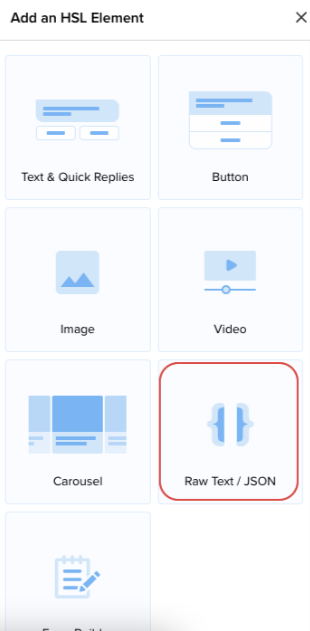
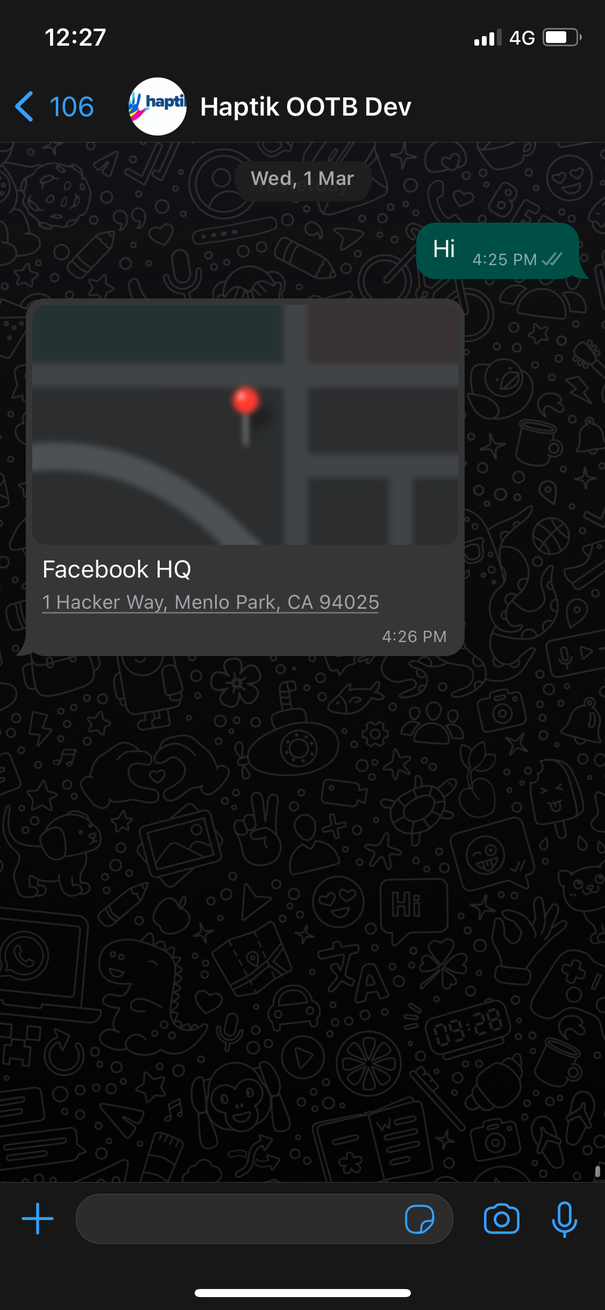
- Save your changes to start using Location Messages on your bot. Once done, your WhatsApp bot will share location like this:
In case you need any help, reach out to your Haptik SPOC right away.