Types of Responses
Depending on how the step is built, the Bot Responses section can have three types of responses - Bot Responses, Entity Response, Final Response.
You can check out the video below to understand this.
Bot Responses
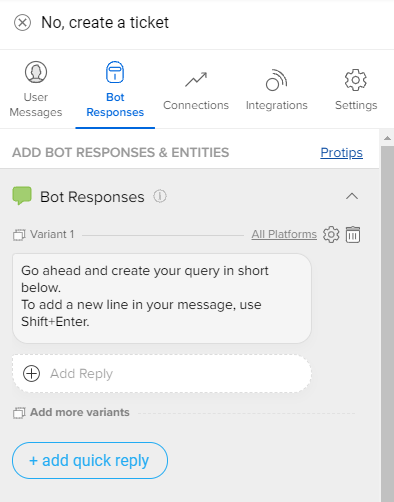
This is the first message that the bot sends out when the step is detected and it doesn't know about any entity on the step.
Entity Response
If you have Entities present on a step, then Entity Response is the response that the bot will send when it doesn't know that Entity's value.
For example, if you want to collect the User's name, you could ask "What is your name?" in the Entity Response. Now If the User replies back with "My name is Bruce Wayne", then "Bruce Wayne" will be extracted as an entity by our NER. These entities can then be used to create personalized and advanced flows for every user and hence, build better bots.
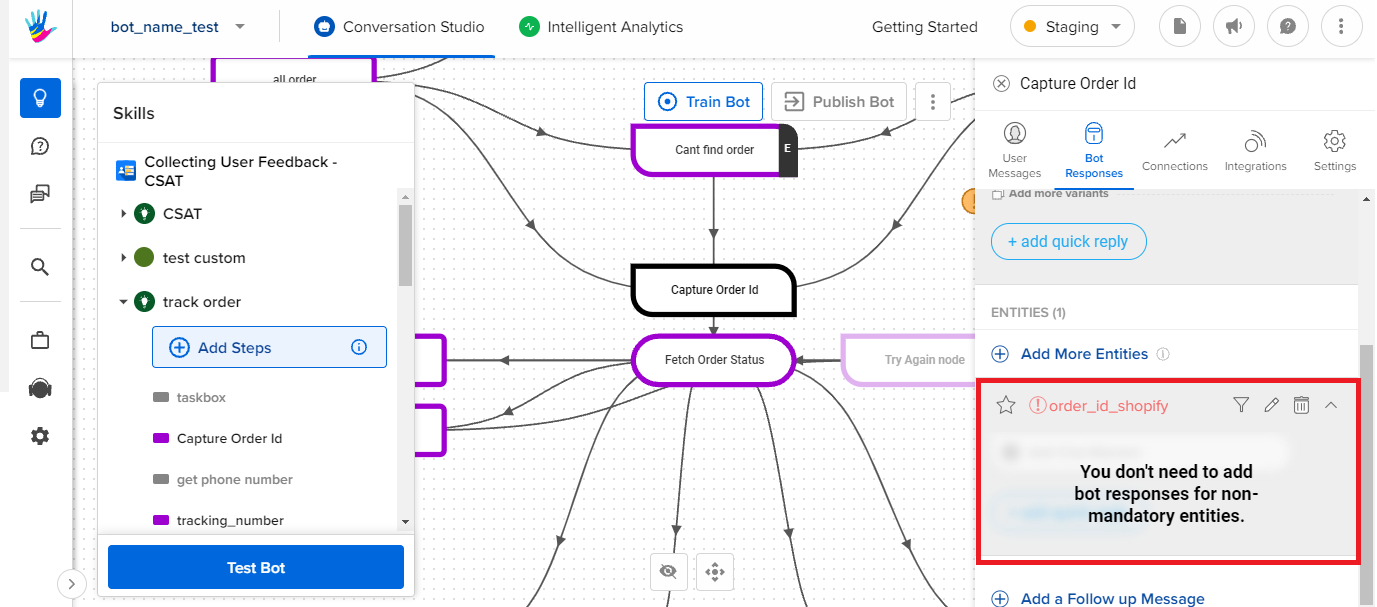
- When there is only one entity present, the Bot Responses section is disabled as it is the same as Entity Response of the first Entity on the step. For Example, if you want to collect User ID, your Bot Responses would look something like below:
- When you have multiple entities, consider the Bot Responses to be the opening message for the step. In some cases, this can be the same as the response in Entity Response of the first Entity on the step.
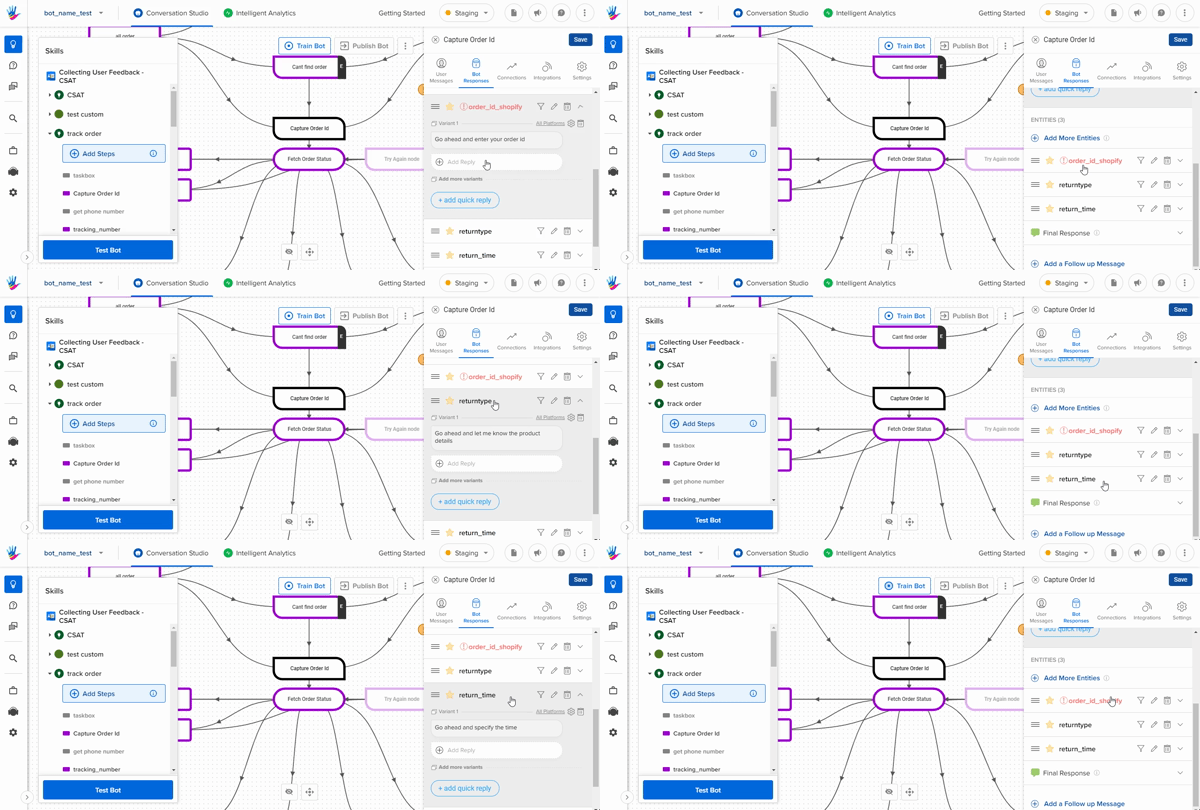
If the bot knows the Entity's value, then it will skip the response and move to the next Entity Response or Final Responses.
You can set an Entity Response only for Mandatory Entities. To know more about the difference between Mandatory and Non-Mandatory entities, refer this.
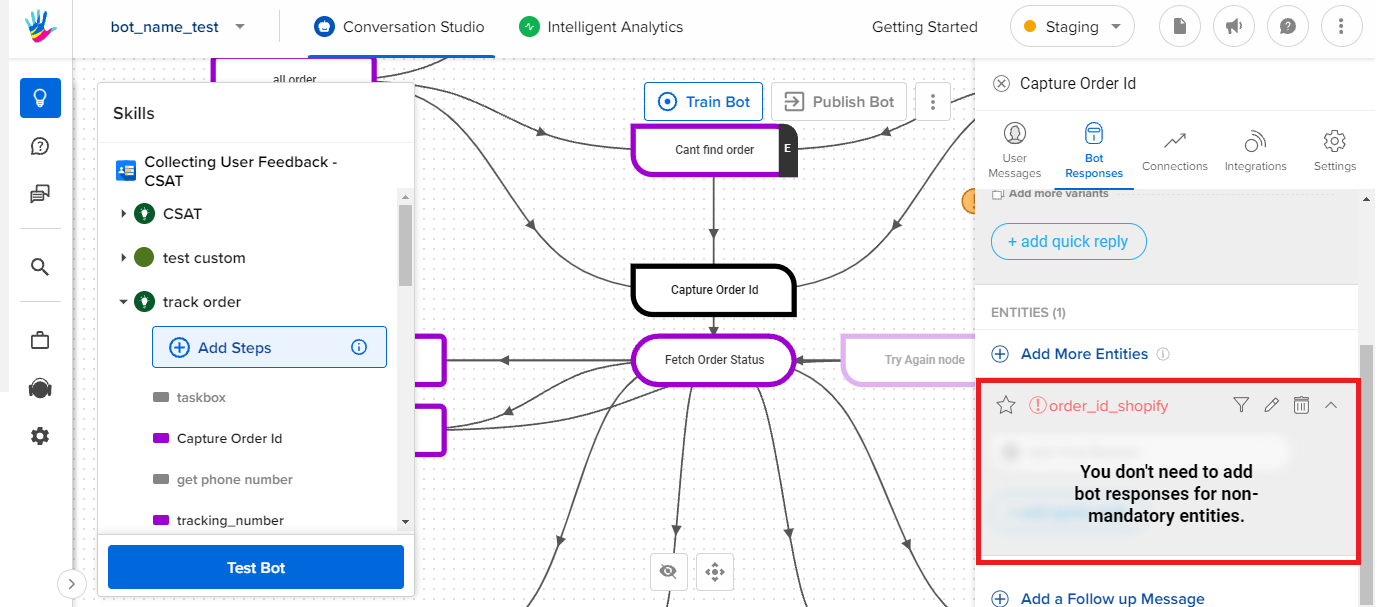
Since Non-Mandatory entities are not compulsory for the step, you don’t need to add a specific response for this entity. And the request to collect the answer can be combined with responses for other Mandatory Entities by using Chat Forms or other HSLs.
Final Response
Once all the entities have been collected, the bot finally replies with the responses from the Final Response section. This is usually the closing message for that step.
In cases where the step is a Start step or an intermediate step, the Final Response section is useful to send a response to continue the user to the next part of the flow.
Final Response isn't applicable if the step doesn't have any entities as the Bot Responses itself acts like the Final Response.
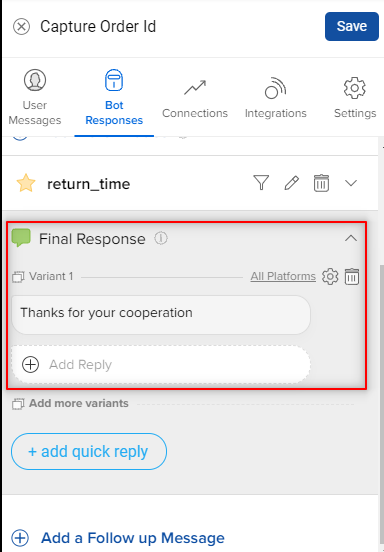
In case you want to skip this message and directly continue the user's journey in the flow, add {} as the Final Response. Click here to know more about Smart Actions on Bot Responses.
Suggested Response
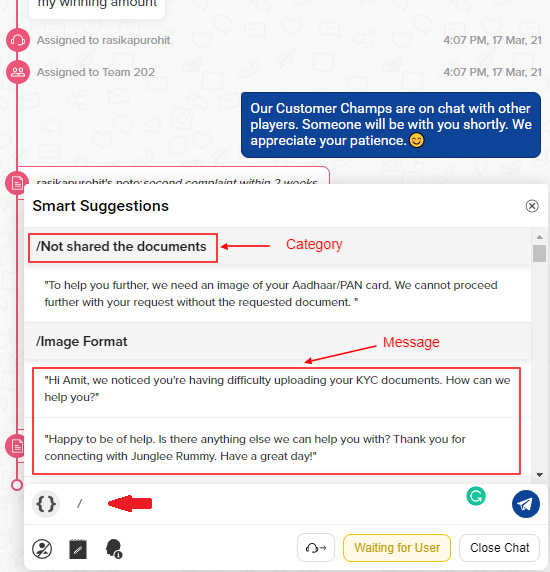
This is a response-type, that is a part of Smart Agent Chat. It is also called Canned Responses. These responses are pre-added and the agents on Smart Agent Chat can use these responses at the time of conversation with the user.
They need to use "/"(forward slash) in order to use these responses. Once you type / in the composer, you will see the suggested texts, that you can choose to send in the chat, as shown.
Follow Up Message
This is an interesting section under Bot Responses. Sometimes we need to follow up with users as they stop replying, you can achieve that by using Follow up message.
If the user is inactive for a specific interval, then the bot replies with the Follow Up message. The delay interval for this message can be set using the slider and can be set between 0.01 seconds to 20 minutes.
Use Follow Up messages to collect feedback or increase engagement on your bot.
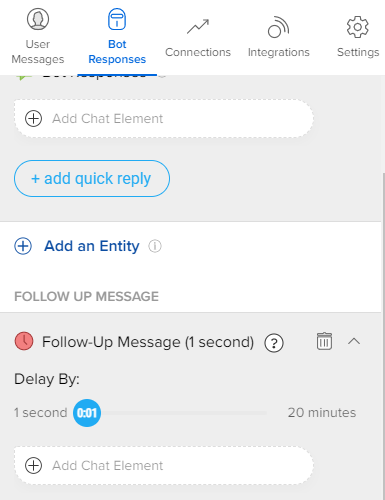
Follow up message will be sent only if the user has not replied back after reaching that step and the chat is in Bot state.
Warning
- Feedback is triggered after every Context Clear step or End of Query step.
-
Example:
- Consider, a step to be a context clear step, and it has a follow-up message. But, since it is a context clear step, feedback would also get triggered on that step.
- So in this case, either follow-up or feedback would get triggered. The one with a lesser delay compared to the other would get triggered first.
- If the follow-up message has a lesser delay compared to feedback, then the follow-up message will get triggered, and vice-versa.